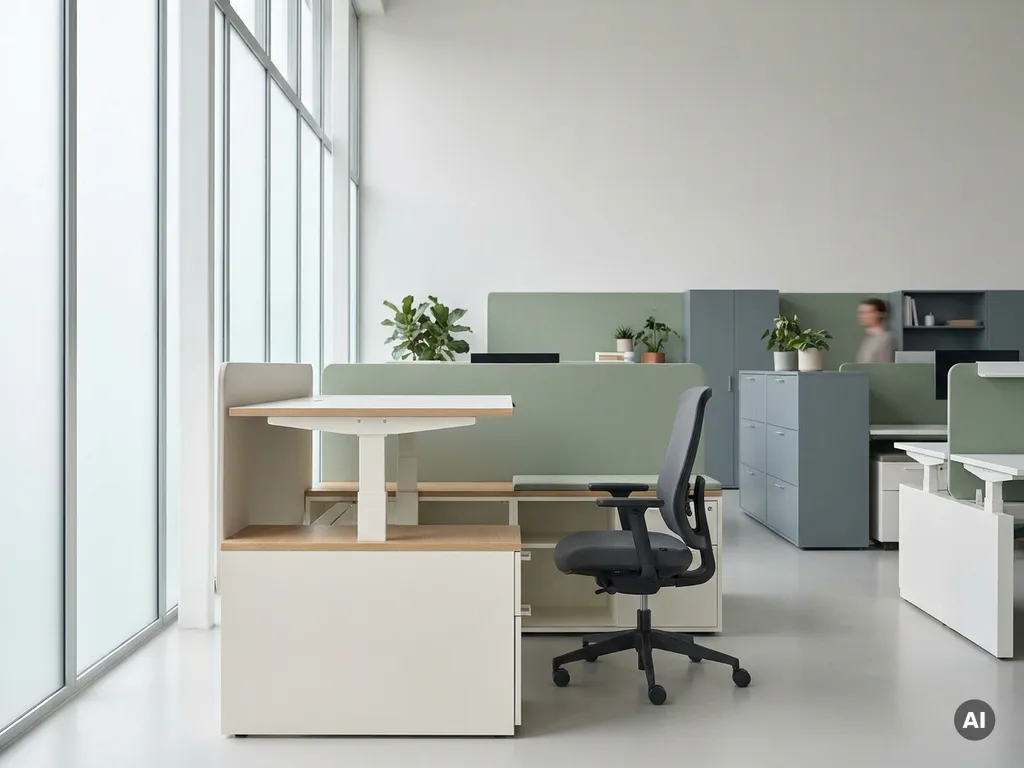
Office ergonomics is the practice of designing workspaces, equipment, and workflows to fit the physical and cognitive needs of the people using them. Rather than asking employees to adapt to their environment, ergonomics adapts the environment to the employee. It matters at work because a well-designed workstation reduces physical strain, supports focus, and helps prevent the musculoskeletal issues that are among the most common causes of workplace-related sick leave.
The principles apply to any working environment, from traditional fixed offices to the flexible, hybrid setups that have become standard across many industries. The questions below unpack each dimension of office ergonomics, from health impact to equipment choices to how hybrid working has changed what “ergonomic” actually means in practice.
How does poor office ergonomics affect employee health?
Poor office ergonomics creates chronic physical strain that accumulates over time. When a workstation is not matched to the person using it, muscles, tendons, and joints are placed under sustained, unnatural load. The most common results are back pain, neck stiffness, shoulder tension, and repetitive strain injuries in the wrists and hands. Left unaddressed, these conditions escalate from discomfort into long-term musculoskeletal disorders.
The effects are not limited to the body. Poorly designed workspaces also increase cognitive load. Employees who are uncomfortable spend mental energy managing that discomfort rather than focusing on their work. Glare from screens, poor lighting, and awkward posture all contribute to fatigue that compounds throughout the day.
- Back and neck pain: The most frequently reported complaint, often caused by chairs without lumbar support or screens positioned too high or too low
- Repetitive strain injuries: Wrist and forearm problems that develop when keyboards or mice are positioned incorrectly over extended periods
- Eye strain and headaches: Caused by screen glare, insufficient lighting, or monitors placed at the wrong distance
- Fatigue and reduced concentration: Physical discomfort drains mental energy and reduces the capacity to sustain focused work
What are the key principles of ergonomic office design?
The key principles of ergonomic office design are neutral posture, adjustability, accessibility, and variety of movement. A well-designed ergonomic workspace positions the body in its natural alignment, keeps frequently used tools within easy reach, and allows the employee to shift position throughout the day rather than remaining static.
Neutral posture means the spine is supported in its natural curve, the shoulders are relaxed, the elbows are close to the body, and the feet are flat on the floor or a footrest. Adjustability is what makes neutral posture achievable for different body types, because no single fixed setup works for everyone.
Accessibility means that the tools a person uses most, such as a keyboard, mouse, and phone, are positioned so they can be reached without leaning, twisting, or stretching. Variety of movement recognises that even a perfect static posture becomes harmful over time. Ergonomic design actively encourages transitions between sitting, standing, and moving throughout the working day.
What equipment makes an office workstation ergonomic?
An ergonomic workstation relies on a combination of an adjustable chair, a correctly positioned monitor, a well-placed keyboard and mouse, and adequate lighting. Each element works together, and a weakness in any one of them undermines the others.
- Adjustable chair: Should support the lumbar curve of the lower back, with seat height adjusted so feet rest flat and thighs are roughly parallel to the floor
- Monitor at eye level: The top of the screen should sit at or just below eye level, approximately an arm’s length away, to prevent neck flexion
- Keyboard and mouse placement: Positioned so the elbows are at roughly 90 degrees and the wrists remain straight during use
- Height-adjustable desk: Allows the employee to alternate between sitting and standing, reducing the risks associated with prolonged static posture
- Adequate lighting: Natural light where possible, supplemented by task lighting that eliminates glare on the screen
- Headset or speakerphone: Prevents the habit of cradling a phone between the ear and shoulder, which places significant strain on the neck
How does ergonomics connect to productivity and absenteeism?
Ergonomics directly affects productivity and absenteeism because physical discomfort reduces output and drives sick leave. When employees work in poorly fitted environments, they experience more fatigue, make more errors, and find it harder to sustain concentration. Over time, the musculoskeletal problems that result become a primary driver of short- and long-term absence.
The connection works in both directions. Investing in ergonomic workstations reduces the frequency of pain-related absence and shortens recovery times when discomfort does occur. It also improves day-to-day performance, because employees who are not managing physical discomfort can direct their full attention to the task at hand.
From a business perspective, the cost of ergonomic equipment is typically modest compared to the cost of repeated short-term absence, reduced output, and potential occupational health claims. Organisations that treat ergonomics as a facility investment rather than a discretionary benefit tend to see measurable returns in attendance and engagement.
What’s the difference between ergonomics and wellness programmes?
Ergonomics and wellness programmes address employee wellbeing from different angles. Ergonomics focuses specifically on the physical design of the work environment and how it fits the human body. Wellness programmes address broader lifestyle factors such as mental health support, nutrition, physical activity, and stress management. Both matter, but they are not interchangeable.
A useful way to think about the distinction is that ergonomics removes harm at the source, while wellness programmes support the whole person. An ergonomic chair prevents back pain from developing. A wellness programme might offer physiotherapy support after back pain has already occurred. Ideally, organisations invest in both, but ergonomics should be treated as a baseline condition of the work environment rather than an optional add-on.
Wellness programmes are also typically voluntary and participation-based. Ergonomics is structural. It applies to everyone in the workspace regardless of whether they choose to engage with it, which makes it a more consistent and equitable form of employee support.
How does hybrid working change office ergonomics requirements?
Hybrid working complicates office ergonomics because employees no longer have a single, personalised workstation. When people work across different locations, including home, the office, and third spaces, their ergonomic setup varies from day to day. This creates new risks, particularly when home environments are not properly equipped, and when office hot desks are not adjusted between users.
In the office, hot-desking means that workstations are shared between multiple people with different physical requirements. Without a system to manage this, employees frequently sit at desks configured for someone else and either do not adjust them or do not know how. The result is that the ergonomic benefits of adjustable equipment are lost in practice.
Addressing this in a hybrid environment requires both physical solutions and smart management. Height-adjustable desks and chairs with clear adjustment guides help. So does giving employees a way to book the same desk consistently or save their preferred settings. Technology that supports flexible workspace management makes it easier for people to plan their office days around the spaces and setups that work for them, which is an important but often overlooked dimension of ergonomic practice in hybrid organisations.
How GoBright supports ergonomics in the hybrid office
One of the most practical challenges in a hybrid office is ensuring that employees can consistently access a workstation that suits them, without the friction of arriving to find every suitable desk already taken. This is where smart desk booking becomes directly relevant to ergonomic outcomes.
Our Smart Office platform helps organisations manage this through a unified system that connects desk availability, workspace preferences, and real-time occupancy data. Here is what that means in practice:
- Desk booking with saved preferences: Employees can book the same ergonomically suitable desk each time they come in, rather than starting from scratch
- Interactive office maps: Make it easy to locate available spaces and navigate to the right workstation without wasted time or guesswork
- Occupancy analytics: Give facility managers the data they need to understand how desks are actually being used, so ergonomic investments are placed where they will have the most impact
- Integration with Microsoft 365 and Google Workspace: Employees can plan and book directly from the tools they already use, making it easy to build ergonomic consistency into their hybrid routine
Ergonomics is only effective when employees can reliably access the right setup. If your organisation is navigating the practical challenges of hybrid work and wants to make the office a place people genuinely want to come to, we would be glad to help. Get in touch with us to explore what a smarter workplace setup could look like for your team.