It’s 10:00 am and the booking system shows every meeting room on your floor as taken. You walk past three of them and find two empty. Those are meeting room no-shows: bookings that hold a room nobody uses. The fix is to release them before the meeting starts, because a room freed at the last minute rarely finds a new user.
What is a meeting room no-show?
A meeting room no-show is a booking that nobody uses: the room stays blocked in the system while it stands empty. It happens when a meeting is cancelled, moved online or forgotten, and nobody removes the booking. Two related problems distort the picture further. A meeting that ends early keeps the room blocked for the rest of the slot. Someone who uses a room without booking it makes an occupied room look free.
Together, they make the office look short of meeting rooms and make your booking data overstate demand.
When a room is released at a no-show its too late
A room released at the start of a missed meeting rarely gets rebooked, because colleagues have already made other plans.
Many booking systems cancel a booking when nobody checks in. By then, the colleagues who needed a room have found another one, moved online or postponed. GoBright data shows the size of the gap. Of meeting rooms released after a no-show, 1% are rebooked. Of rooms released in advance through Early Presence Confirmation, 20% are rebooked (GoBright data, 2026). Releasing a room up to two days ahead gives colleagues time to find it and plan around it.
How can you release a meeting rooms in time?
GoBright works at three moments: before the meeting, at the start and during it. Most of the gain comes from the first.
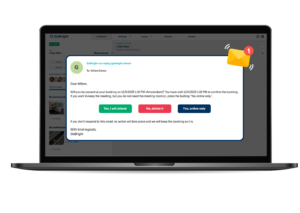
Before the meeting: Early Presence Confirmation. The organiser receives an email and push notification asking whether the meeting is still going ahead. You set when it goes out: up to 48 hours before the meeting and no later than two hours before. The organiser confirms, or releases the room in one click. For integrated rooms, they can also switch to “online only”. The meeting stays in everyone’s calendar, but the room is released. The notification also shows any linked visitors and catering. You decide what happens when the organiser doesn’t answer: a reminder only, or automatic cancellation.
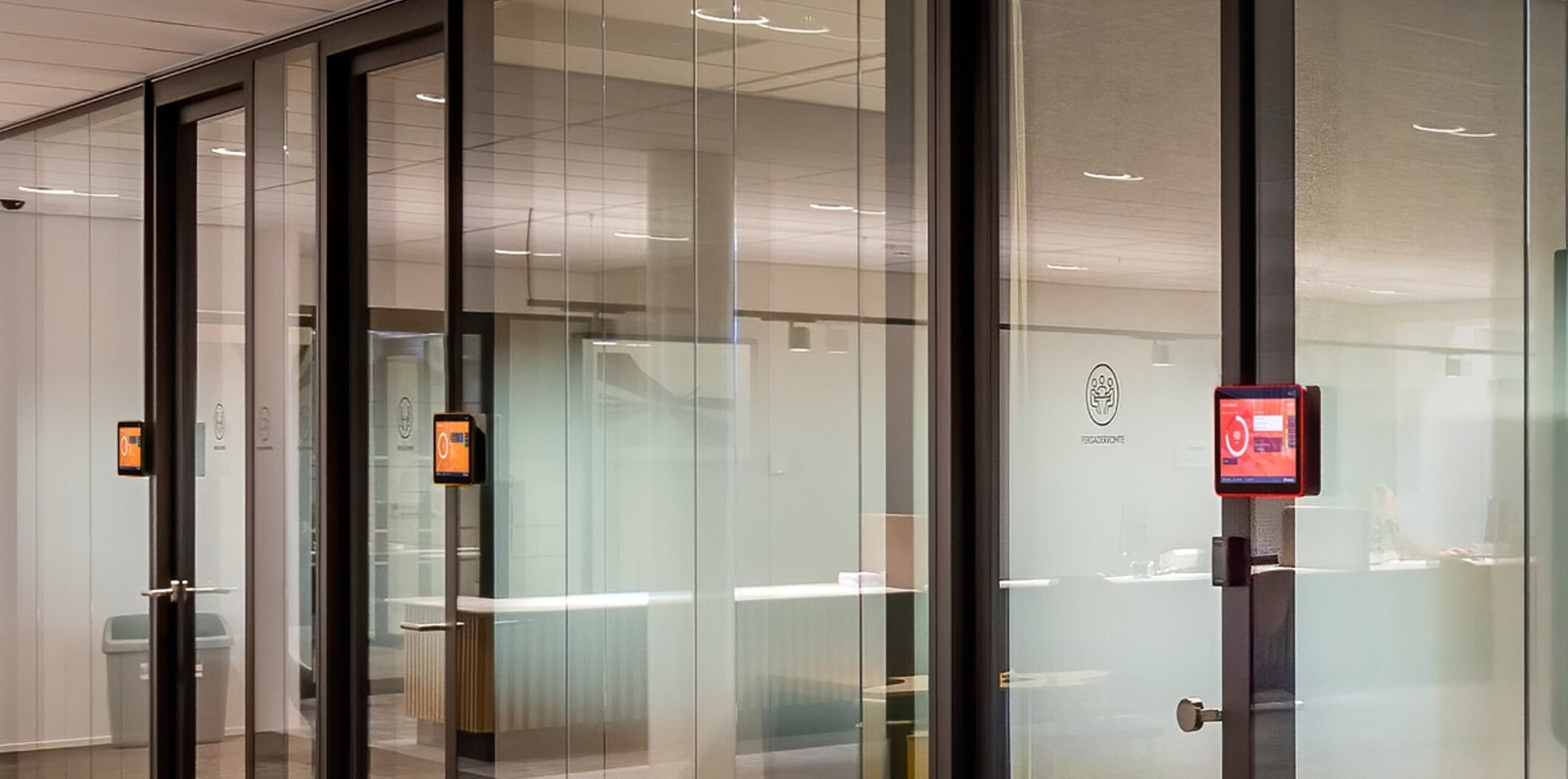
At the start: no-show detection as a safety net. Attendees check in on the room display, the GoBright Interact, the Portal or the Mobile App. If nobody checks in within the window you set, GoBright cancels the booking. The organiser can receive an email about it, and the no-show is logged in GoBright Analytics.
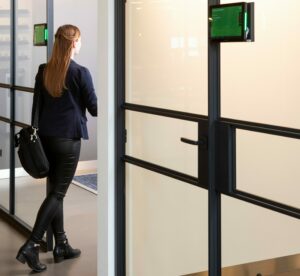
During the meeting: sensors. GoBright sensors detect whether a room is in use, so check-in can also happen automatically. When a meeting ends early and the room stays empty for a set time, for example 10 or 15 minutes, GoBright shortens the booking. When someone uses a room without booking it, the room shows as “almost occupied”. The sensors need no Wi-Fi or PoE connection. They register whether a room is occupied without identifying who is in it.
What do organisations gain from fewer no-shows?
You get more usable meeting rooms without adding floor space, and booking data that shows how rooms are used.
Rooms that stood empty behind forgotten bookings go back into the pool, early enough for colleagues to plan with them. Every confirmation, cancelled booking and sensor reading lands in GoBright Analytics. Booking data alone shows intent. GoBright combines it with sensor and Wi-Fi occupancy data to show actual use. That tells you whether a meeting room shortage is real before you approve extra rooms or floor space.
The benefits in practice?
At Town Hall Veenendaal, the employees felt there were too few workplaces; the facility department disagreed, and nobody had the data to settle it. With sensors in the meeting rooms and GoBright Analytics, the town hall could see how its 450 desks and 29 rooms were used. Read the Town Hall Veenendaal case.
How do you get started?
GoBright offers three ways to tackle no-shows: use one, two or all three, and switch them on in the room profile.
Early Presence Confirmation. This is where most rooms come back in time, because they’re released before the meeting. Organisers get a notification up to 48 hours before the meeting, and no later than two hours before. You choose how it works: as a reminder only, or as a required action. With a required action, a booking that isn’t confirmed in time is cancelled and the room becomes available again.
No-show detection. This asks attendees to check in at the start of the meeting. Attendees check in on the room display, the GoBright Interact, the Portal or the Mobile App. If nobody checks in within the window you set, the booking counts as a no-show and GoBright cancels it.
Sensors. Sensors take check-in and check-out out of people’s hands. When a sensor detects occupancy, it checks the meeting in automatically. When it detects no occupancy for the time you set, for example 10 or 15 minutes, it checks the meeting out and releases the room. Sensors also register walk-in meetings in rooms nobody booked, so ad-hoc use shows up in your data too.
Check our Help Centre articles: Configuring the room profile and Early Presence Confirmation article for more detail.
Vill du veta mer?
Before you plan extra meeting rooms, check how many of your booked rooms are in use. Book a free expert consult with one of our Smart Workplace Experts to see what your booking and occupancy data shows.
Vanliga frågor och svar
What is Early Presence Confirmation?
Early Presence Confirmation is a GoBright feature that asks meeting organisers, up to 48 hours ahead, whether they still need the room they booked. Admins decide whether an unanswered request is a reminder or cancels the booking.
What is a ghost meeting?
A ghost meeting is a meeting room booking that nobody attends. It is another name for a no-show and blocks a room that stands empty.
Do I need sensors to tackle no-shows?
No. Early Presence Confirmation and no-show detection work without sensors, because organisers confirm and attendees check in on a display, sticker, the Portal or the app. Sensors add automatic check-in and check-out, and they register ad-hoc use of rooms nobody booked.