Master Your Week with our new Week Planner feature – Plan, Conquer, Excel.
The perfect planning tool for your flexible office. One of the biggest challenges that employers are currently facing, is collaboration. More and more employees want to work flexibly, and while there are many benefits, it is inevitable that collaboration and communication become challenging. After all, everybody works at different hours, from different places. What if you need to speak to a specific colleague, but you are not sure which days they work and whether they are at the office, or working remote?
The GoBright Week Planner solves this issue in an instant.
Planificador semanal
With the Week Planner you not only indicate how and where you work yourself, but you also have an immediate overview of the whereabouts of your colleagues. The ultimate goal of the Week Planner is to provide employees with more insights into the planning of their colleagues; to improve productivity and collaboration. Which days are they working? Who is at the office, who is working remote? What is the best day for me to go to the office? This provides everybody the option to stay in control and plan their full workweek, no matter from where they work.

How does the Week Planner work?
Besides making a booking for a desk, room, or parking space in the GoBright Portal, it is now possible to plan your week(s) ahead in the Portal as well with the Week Planner feature. Available in the Online Portal, the Mobile App, and therefore also within Microsoft Teams thanks to the Teams Integration. Simply indicate when you are at the office and when you are working from home, or any other remote location. This is directly visible for your colleagues. Collaboration, communication, and focus on common goals are important factors for any successful team. With the Week Planner everyone knows where colleagues are located. This makes it easier to plan face-to-face meeting at the office. Or, when you’re both working from home, just plan an online meeting.
1. Personal “Day Overview” Dashboard
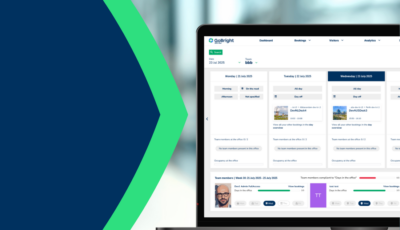
Open your dashboard for today’s overview. Here you already get a brief overview of the colleagues who are in the office that day. Click on “Week Planner” to open the Week Planner.
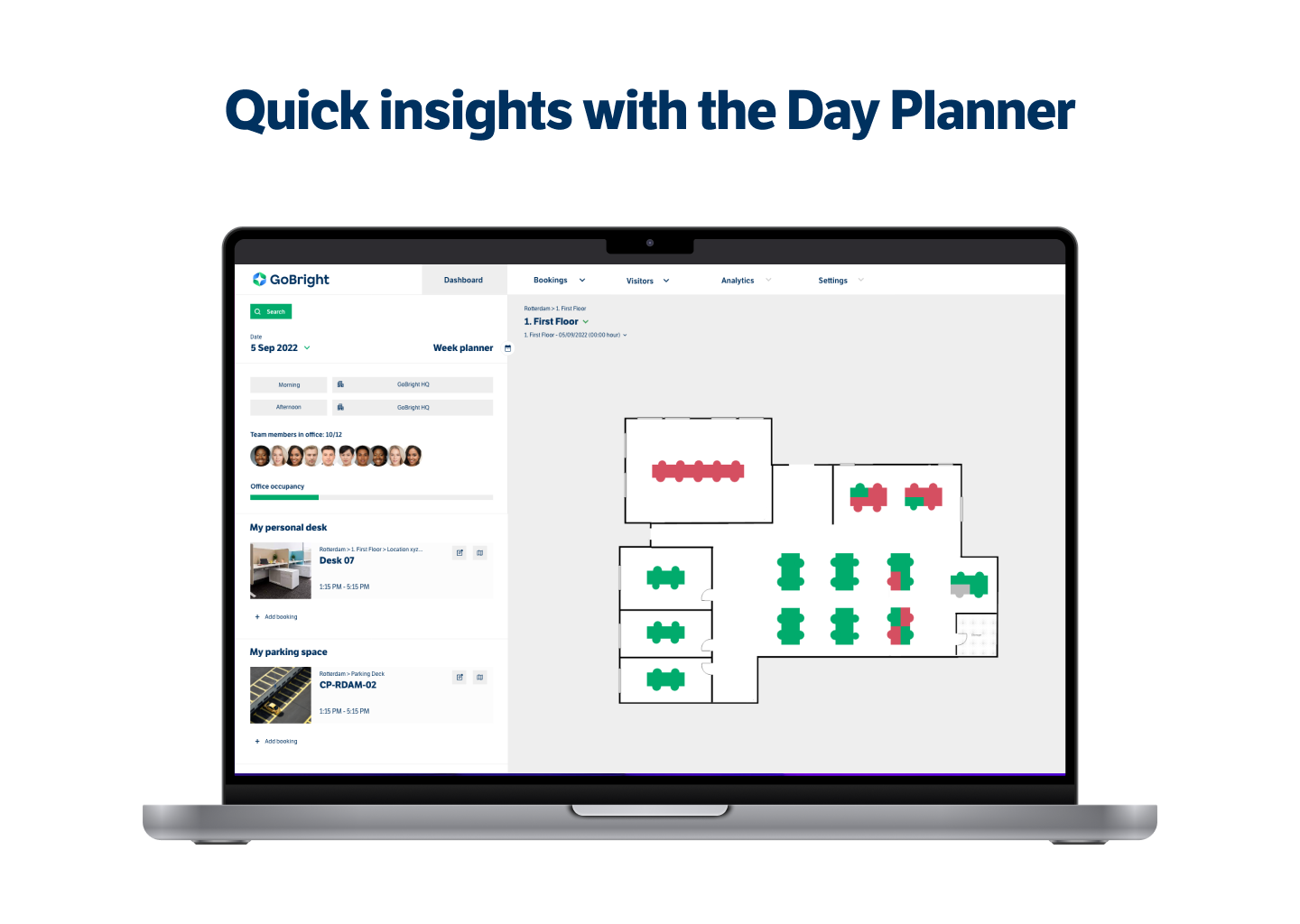
2. Week Planner overview
Indicate per day where you work with the predefined options (with icons). You can also indicate if that counts for a whole day, or just the morning or afternoon. In this Week Planner it is immediately possible to ‘book a desk’ for your office days.
In the settings you can set a “Default” week in advance.
Suppose you work from home every Monday and Friday; you are at the office every Tuesday and Thursday and you have Wednesdays off. Then mark this as your standard setting and it will be displayed automatically. The advantage is that you do not have to repeat planning your working days daily or weekly. If there is an exception, you simply adjust that specific day.
At the bottom you will see an overview of your team members. The icons show their daily whereabouts.
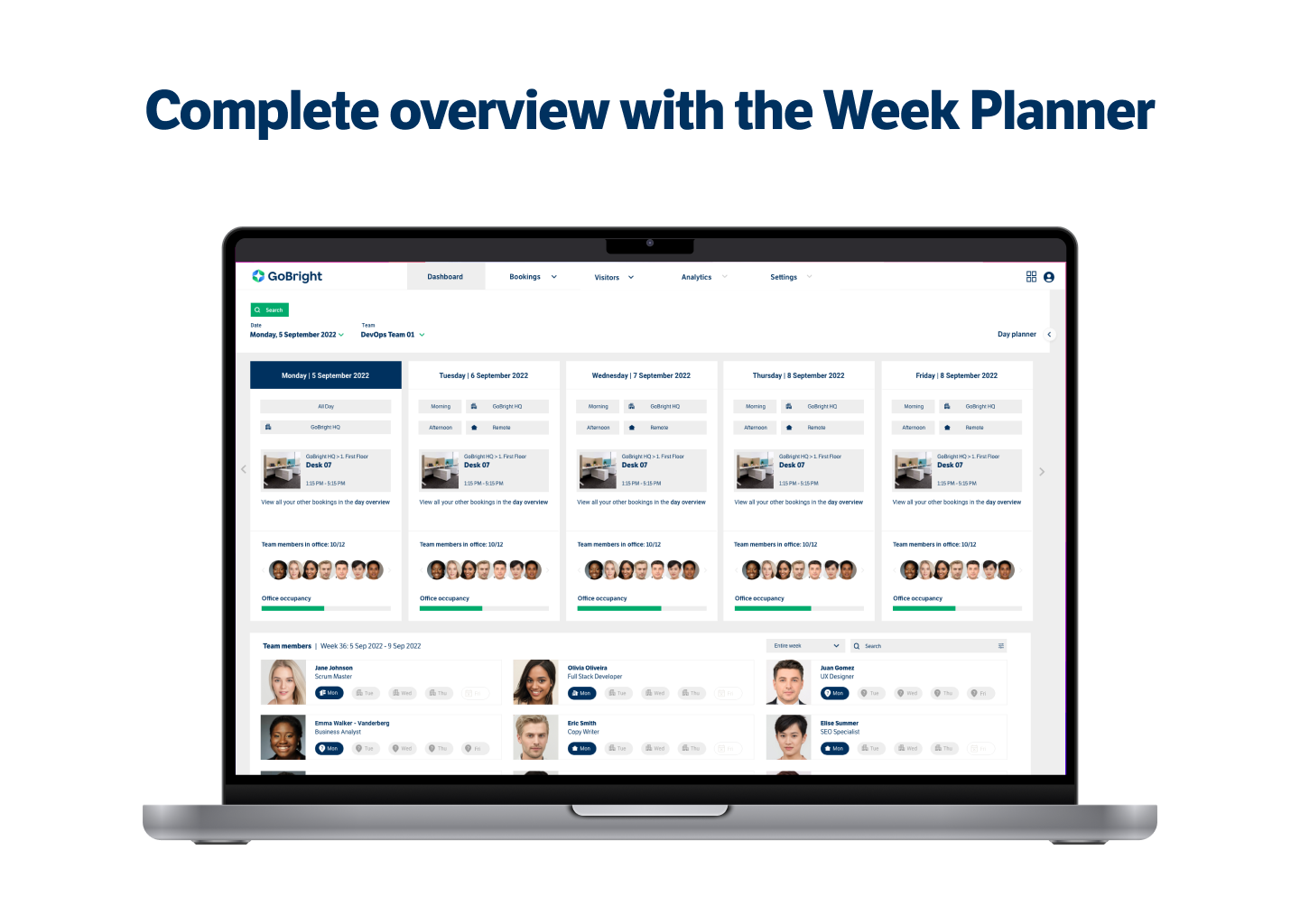
3. Improve communication
As soon as you know that someone works at home or elsewhere, you may want to contact them directly. Simply use the telephone number or email address shown in the overview.
NOTE:
Do you have any questions, or would you like a demo of the Weekly Planner, or would you like more information about the prices… feel free to contact us via the button next to or below this article.