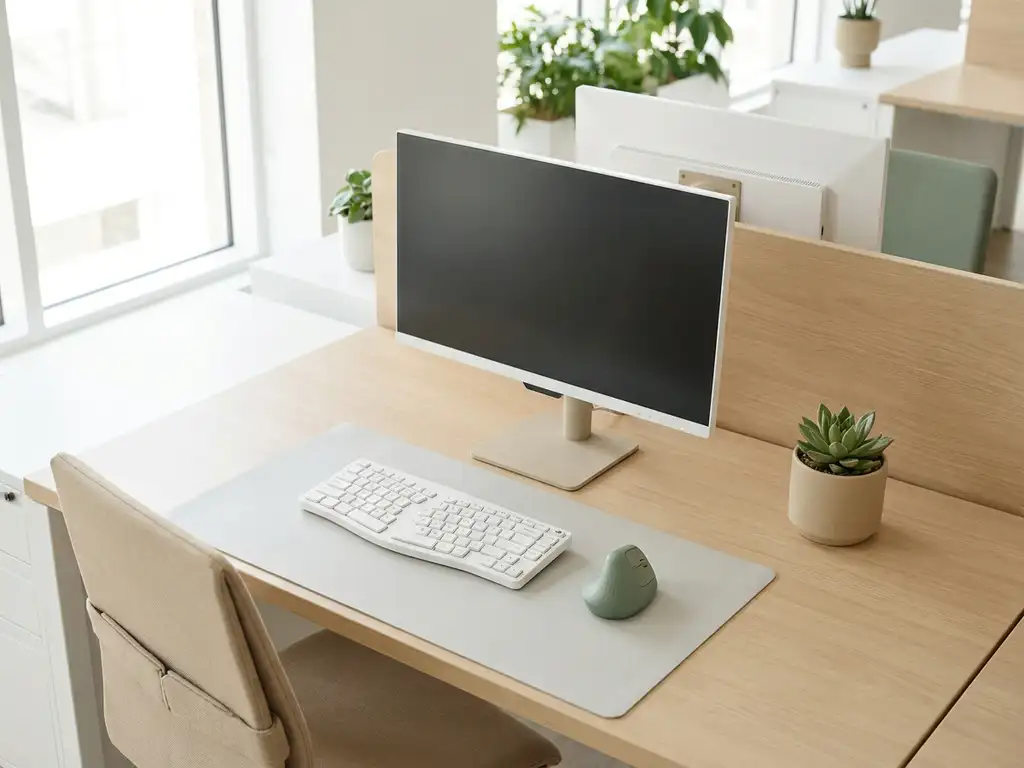
Ergonomic desk settings enhance workplace culture by making employees feel valued, physically supported, and set up to do their best work. When people can adjust their workspace to fit their body and working style, comfort becomes a signal of organizational care, and that care builds trust, engagement, and belonging. The sections below unpack exactly how that connection works, from the basics of what ergonomic settings include to how smart technology can preserve them automatically.
What do ergonomic desk settings actually include?
Ergonomic desk settings are the physical and digital adjustments that align a workstation to an individual’s body, posture, and work habits. They cover desk height, monitor position, chair support, lighting levels, and keyboard placement, all configured to reduce physical strain and support sustained focus throughout the working day.
In practice, a complete ergonomic setup typically involves:
- Desk height adjustment so that forearms rest parallel to the floor when typing
- Monitor distance and tilt to prevent neck strain and eye fatigue
- Chair lumbar support calibrated to the natural curve of the lower spine
- Keyboard and mouse positioning to keep wrists neutral
- Lighting conditions that reduce glare and match the task at hand
- Personal preferences such as standing desk intervals or footrest use
In a hybrid workplace, these settings matter even more because employees rotate between desks rather than owning a fixed spot. Without a system to recall personal preferences, each workday begins with a physical setup ritual that costs time and often gets skipped, leaving people working in positions that are subtly wrong for their bodies.
How do ergonomic settings affect employee well-being at work?
Ergonomic settings directly reduce the physical discomfort that accumulates from poor posture and repetitive strain, which in turn protects both short-term energy levels and long-term musculoskeletal health. Employees who work in a well-adjusted environment report fewer headaches, less back pain, and better concentration throughout the day.
The well-being impact goes beyond the physical. When a workspace fits a person well, they spend less mental energy managing discomfort and more on the work itself. That cognitive relief compounds over time. People feel less fatigued at the end of the day, recover more quickly, and are more likely to arrive at the office motivated rather than dreading the physical experience of being there.
For organizations managing hybrid work in 2026, this matters strategically. Employee well-being is now a recognized driver of retention and productivity. A workplace that actively supports physical comfort sends a message: the organization has thought about what it feels like to work here. That message shapes how people relate to their employer and to the office as a space.
Why does workplace culture suffer when ergonomics are ignored?
When ergonomics are ignored, workplace culture suffers because physical discomfort erodes the sense that the organization genuinely cares about its people. Culture is built from accumulated experiences, and if showing up to the office reliably means back pain, eye strain, or hunting for a desk that is at least close to comfortable, employees begin to associate the workplace with something to endure rather than a space that supports them.
There are several cultural consequences that follow from neglected ergonomics:
- Reduced office attendance as employees choose to work from home where their setup is familiar and comfortable
- Lower engagement when physical discomfort competes with focus and creative thinking
- Increased absenteeism linked to musculoskeletal complaints that could have been prevented
- A perception gap between what leadership says about employee well-being and what the physical environment actually communicates
- Friction in hybrid adoption as the office fails to compete with the home environment on basic comfort
Culture is not just values on a wall. It is the lived experience of working somewhere, day after day. Ergonomics are part of that experience, and organizations that overlook them pay a cultural cost that rarely shows up on a single report but accumulates steadily in morale and retention data.
How can smart desk booking systems save personal ergonomic profiles?
Smart desk booking systems can save personal ergonomic profiles by linking an employee’s preferred desk settings to their booking, so that when they reserve a workstation, the system automatically applies or displays their saved configuration. This removes the daily friction of manual adjustment and ensures every employee starts from their own baseline rather than a generic default.
In practice, this works through a combination of software and hardware. When an employee books a desk through an app or platform, their profile, including preferred desk height, monitor position, and any other saved preferences, travels with the booking. Adjustable desks with memory functions can receive that data and move to the correct height automatically when the employee checks in.
This kind of smart office technology does more than save time. It signals to employees that the workplace has been designed around them as individuals, not just around headcount. In a hot-desking environment, that personalization is one of the most effective ways to recreate the sense of ownership and comfort that people associate with having their own desk, without sacrificing the flexibility that hybrid work requires.
What’s the difference between ergonomic hardware and ergonomic software solutions?
Ergonomic hardware refers to the physical equipment that supports correct posture and body alignment, while ergonomic software solutions are the digital tools that manage, personalize, and optimize how that equipment is used across a flexible workplace. Both are necessary, but they solve different parts of the same problem.
Ergonomic hardware
Hardware includes height-adjustable desks, ergonomic chairs with lumbar support, monitor arms, split keyboards, and footrests. These are the tangible elements that physically adapt to a person’s body. The quality and range of adjustment in hardware set the ceiling for how ergonomic a workspace can actually be.
Ergonomic software solutions
Software solutions handle the intelligence layer. They store individual profiles, connect preferences to desk bookings, track which configurations are in use, and give facility managers data on how spaces are being occupied. Without software, even the best adjustable desk requires manual setup every time someone new sits down. Without hardware, software has nothing meaningful to configure.
The most effective ergonomic office environments combine both. Hardware provides the physical capability; software ensures it is actually used correctly and consistently across a rotating workforce. In a hybrid model where no one owns a fixed desk, the software layer is what makes personalized ergonomics scalable.
How do you measure the cultural impact of ergonomic workplace improvements?
You measure the cultural impact of ergonomic workplace improvements by tracking a combination of behavioral signals, employee feedback, and operational data over time. No single metric captures culture, but patterns across several indicators reveal whether the physical environment is genuinely supporting the people working in it.
Useful indicators to monitor include:
- Office attendance rates before and after ergonomic improvements are introduced
- Employee satisfaction scores from regular pulse surveys that include questions about physical comfort and workspace quality
- Absenteeism data related to musculoskeletal complaints or fatigue
- Desk utilization rates from workplace analytics, showing whether improved workstations are being actively chosen
- Retention and engagement trends measured against the timeline of physical workplace changes
The challenge with cultural measurement is that improvements are rarely instantaneous. Ergonomic changes take time to become part of the lived experience of the office. A quarterly review cadence, rather than a one-off assessment, gives a more honest picture of whether the investment is shifting how people feel about coming to work.
Workplace analytics tools can support this process by surfacing occupancy patterns and space preferences automatically, giving facility and HR teams the data they need to make informed decisions without relying solely on anecdotal feedback.
How GoBright helps with ergonomic desk settings and workplace culture
We built GoBright’s Smart Office platform precisely because the gap between a great ergonomic desk and a great workplace experience often comes down to smart, connected technology. Here is how we help organizations close that gap:
- Personal ergonomic profiles stored in our desk booking system, so employees always start from their own preferred setup
- Proprietary hardware with memory functions that adjusts height-adjustable desks automatically at check-in
- Workplace analytics that show which desks and spaces are being used, helping facility managers optimize the ergonomic investment across the floor plan
- Native integrations with Microsoft 365 and Google Workspace, so booking a desk with the right ergonomic setup is as easy as booking a meeting
- GDPR-compliant, ISO 27001-certified infrastructure with European data hosting, so personal profile data stays secure
Whether you are managing a single office or a multi-site hybrid environment, our platform brings together the software and hardware your teams need to make every desk feel like it was set up for them. Ready to see what that looks like in practice? Get in touch with our team and we will walk you through it.
Frequently Asked Questions
How long does it take for employees to notice the benefits of ergonomic desk improvements?
Most employees begin to notice a reduction in physical discomfort, such as less back pain and eye strain, within the first one to two weeks of consistently working in a properly adjusted environment. However, the broader cultural and well-being benefits, such as improved energy levels, higher engagement, and stronger office attendance, typically take one to three months to become measurable. This is why a quarterly review cadence for tracking ergonomic impact is more reliable than a one-off assessment shortly after changes are introduced.
What should I do if my organization uses hot-desking but doesn't yet have height-adjustable desks?
Start by auditing which desks are most frequently booked and prioritize investing in adjustable hardware for those high-traffic workstations first, rather than trying to upgrade everything at once. In the interim, provide low-cost ergonomic accessories, such as monitor risers, lumbar cushions, and wrist rests, that employees can easily carry with them between desks. Pairing even basic adjustable equipment with a desk booking system that stores personal preferences will dramatically reduce daily setup friction and signal organizational care while the hardware rollout progresses.
Can ergonomic profiles really be saved and applied automatically, or does the employee still need to adjust the desk manually?
With the right combination of smart desk booking software and hardware that includes memory functions, the process can be largely or fully automatic. When an employee checks in at a booked desk, the system can trigger the desk to move to their saved height without any manual input. The key requirement is that both the software platform and the physical desk hardware are compatible and integrated, which is exactly the kind of end-to-end solution platforms like GoBright are designed to provide.
How do we get employees to actually input and maintain their ergonomic profiles in a booking system?
The most effective approach is to make profile setup a guided, one-time onboarding step rather than an optional feature employees discover on their own, ideally supported by a short tutorial or in-app prompt the first time they log in. Framing it as a personal benefit, 'your desk will be ready when you arrive,' rather than an administrative task significantly increases completion rates. Once employees experience the convenience of arriving at a pre-adjusted desk even once, ongoing profile maintenance tends to become self-motivated.
Are there legal or compliance obligations around workplace ergonomics that organizations should be aware of?
In many jurisdictions, particularly across the European Union, employers have a legal duty of care to assess and mitigate workplace health risks, which explicitly includes musculoskeletal risks arising from poor workstation setup. Regulations such as the EU Directive 90/270/EEC specifically address display screen equipment and require employers to conduct workstation assessments for regular users. Organizations should consult their local occupational health and safety regulations and consider working with a certified ergonomics specialist to ensure compliance, especially as hybrid work introduces new complexity around rotating workstations.
What is the biggest mistake organizations make when rolling out ergonomic desk improvements?
The most common mistake is investing heavily in ergonomic hardware without addressing the behavioral and systems layer, meaning employees receive adjustable desks but receive no training on how to configure them correctly, and no software exists to save or recall their settings. A height-adjustable desk left at the wrong height is no more ergonomic than a fixed desk. A successful rollout pairs quality hardware with employee education, a simple profile-saving mechanism, and ongoing nudges, such as reminders to take standing intervals, to ensure the equipment is actually used as intended.
How does supporting ergonomics in the office help with hybrid work adoption specifically?
One of the primary reasons employees default to working from home in a hybrid model is that their home setup, however imperfect, is at least familiar and personally configured. The office, by contrast, often feels generic and physically uncomfortable, particularly in hot-desking environments. When the office can match or exceed the personalized comfort of a home setup through saved ergonomic profiles and smart desk technology, the physical barrier to choosing the office is removed, making in-person attendance a genuine preference rather than an obligation.