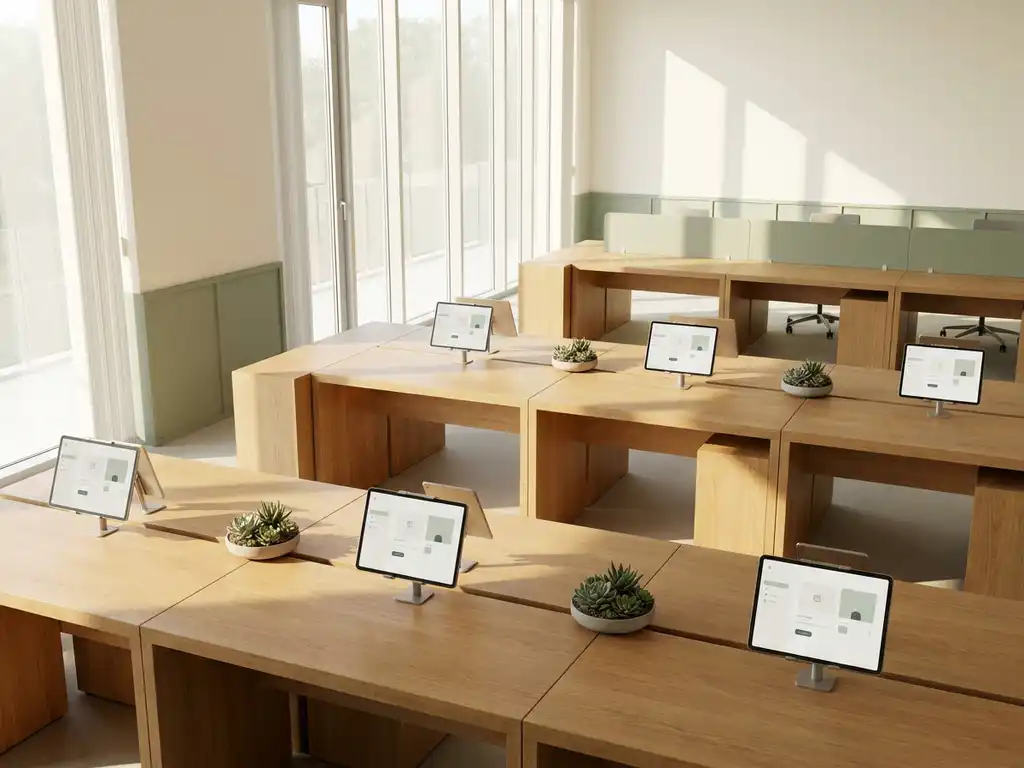
Workspace management tools enhance workplace culture by removing the friction that makes office life frustrating. When employees can easily find a desk, book a room, locate a colleague, and trust that the space they reserved will actually be available, the office becomes a place people want to be rather than a place they tolerate. This matters most for organizations running hybrid work models, where the office needs to earn its place in people’s routines. The sections below unpack the specific ways these tools shape culture, collaboration, and employee experience.
How do workspace management tools affect employee experience?
Workspace management tools directly improve employee experience by reducing daily uncertainty and giving people more control over how and where they work. When booking a desk or meeting room is simple and reliable, employees spend less mental energy on logistics and more on the work that actually matters to them.
The connection between workplace tools and experience runs deeper than convenience. Uncertainty is one of the biggest reasons employees disengage from the office. Arriving to find no available desks, walking into a meeting room that is already occupied, or not knowing whether a colleague is even in the building creates a low-grade frustration that accumulates over time. Tools that eliminate that uncertainty shift the office from a source of stress to a source of support.
Features like colleague locating, interactive floor maps, and team booking make it easier for people to coordinate and sit near the people they need to work with. That kind of intentional proximity is what drives the spontaneous collaboration that remote work cannot replicate. When employees feel their workplace is organized around their needs rather than against them, engagement and satisfaction follow naturally.
What types of workspace management tools support a collaborative culture?
The workspace management tools that most directly support a collaborative culture are those that make it easier for people to find, join, and work alongside their colleagues. This includes desk booking systems with team features, room booking tools with real-time availability, and colleague locating functions that reduce the guesswork of coordinating in-person work.
Collaboration does not happen by accident in a hybrid office. It requires deliberate design, and the right tools make that design possible. Here are the key tool types that contribute:
- Team Booking: Allows groups to reserve desks in the same zone on the same day, so teams can plan in-office days together rather than arriving independently and sitting apart.
- Find My Colleague: Lets employees see where teammates are sitting without needing to call or message them, reducing the friction of connecting in person.
- Room Booking with live availability: Ensures that meeting spaces can be claimed instantly through familiar tools like Microsoft Teams or Outlook, so impromptu collaboration is never blocked by a booking barrier.
- Digital Signage and Wayfinding: Helps people navigate the office quickly, particularly useful in larger or multi-floor buildings where finding a free space or a specific room takes time.
- Visitor Management: Makes it easy to bring external collaborators into the office professionally and without administrative friction.
The common thread across all of these is reducing coordination effort. The less energy people spend figuring out the logistics of working together, the more they can invest in the collaboration itself.
How does workplace analytics data improve office culture?
Workplace analytics data improves office culture by replacing guesswork with evidence. Instead of making decisions about space based on assumptions, facility managers and leadership teams can see exactly how the office is being used, which areas are popular, which are underused, and how occupancy shifts across the week.
This matters for culture because culture is partly shaped by environment. An office that consistently feels too empty discourages attendance. One that feels overcrowded and disorganized frustrates people. Analytics data gives organizations the visibility to calibrate their space so it consistently supports the kind of experience employees want.
Beyond physical layout, analytics also supports smarter policy decisions. If data shows that most employees come in on Tuesday and Wednesday but the office sits largely empty on Monday and Friday, leadership can use that insight to create anchor days, plan team events, or adjust resource allocation. These decisions signal to employees that their experience is being actively managed and invested in, which itself contributes to a healthier culture.
Occupancy data also underpins sustainability goals. Organizations that can demonstrate they are right-sizing their space based on real usage data are making a credible commitment to efficiency, which resonates with employees who care about how their employer operates.
What’s the difference between a workplace tool and a workplace culture tool?
A workplace tool solves a functional problem. A workplace culture tool solves a functional problem in a way that also shapes how people feel about their work environment. The difference lies not in the category of software but in how well the tool is designed around the human experience of using it.
A basic room booking system that prevents double bookings is a workplace tool. A room booking system that integrates with the calendar app employees already use, shows live availability on a panel outside the door, automatically releases the room when no one checks in, and makes it easy to extend a meeting on the spot becomes a culture tool because it removes the small daily frustrations that erode trust in the office environment.
The distinction is important for organizations evaluating workspace management software. A tool that is technically functional but cumbersome to use will be avoided or worked around, which undermines both the investment and the culture. A tool that employees genuinely find helpful reinforces the message that the organization is paying attention to their day-to-day experience. Over time, that accumulates into something that genuinely influences how people feel about coming to work.
Why do ghost meetings and no-shows damage workplace culture?
Ghost meetings and no-shows damage workplace culture because they erode trust in the booking system and create visible inefficiency that frustrates everyone. When meeting rooms show as booked but sit empty, colleagues who need a space feel the system is working against them rather than for them. That frustration is small individually but significant when it happens repeatedly.
The cultural damage goes beyond inconvenience. Ghost meetings signal a lack of accountability. When people see that colleagues can reserve resources and simply not show up without consequence, it communicates that the shared office environment is not being treated with respect. That perception, once established, is difficult to reverse.
There is also a practical cost. Rooms that are blocked by no-shows cannot be used by teams who genuinely need them, which pushes people toward workarounds like booking multiple rooms as a hedge or giving up on in-person meetings entirely. Both behaviors make the office less functional and less appealing.
Automated check-in requirements and room release features address this directly. When a booking is automatically canceled if no one checks in within a defined window, rooms return to availability without manual intervention. This keeps the system fair, keeps the space usable, and sends a clear signal that the organization takes efficient use of shared resources seriously.
Which workspace management features matter most for hybrid teams?
For hybrid teams, the workspace management features that matter most are those that make the office reliably predictable and easy to coordinate around. Hybrid work only functions well when employees can trust that coming into the office will be worth the commute, and that trust depends on being able to plan ahead with confidence.
The most impactful features for hybrid teams, in order of practical importance, are:
- Desk Booking with team coordination: The ability to see who is coming in and book nearby is the foundation of intentional hybrid collaboration.
- Integration with Microsoft 365 and Google Workspace: Booking tools that live inside the apps employees already use see dramatically higher adoption than standalone systems.
- Real-time room availability: Hybrid teams often plan meetings across in-office and remote participants, so knowing a room is available right now matters as much as booking in advance.
- Mobile access: Hybrid employees are not always at a desk when they need to book one. Mobile booking through an app removes that barrier entirely.
- Occupancy visibility: Knowing how busy the office is before commuting helps employees decide when it makes sense to come in, which increases the quality of in-office days rather than just the frequency.
Security and compliance also matter more than they might appear to for hybrid teams. Organizations operating across multiple locations or with employees working from different countries need to know their booking data is handled securely. GDPR compliance and ISO certification are not just IT requirements; they are part of building a workplace environment that employees and leadership can trust.
How GoBright Supports a Stronger Workplace Culture
Everything described above, from eliminating ghost meetings to enabling team coordination and delivering meaningful analytics, is what our Smart Office platform is built around. We designed it specifically for organizations running hybrid work models, where the office needs to work harder to earn its place in people’s routines.
Here is what that looks like in practice:
- Desk and Room Booking with team features, colleague locating, and live availability across the GoBright app, Outlook, Microsoft Teams, and touchscreen panels
- Automated check-in and room release that eliminates ghost meetings and keeps shared spaces available for the people who need them
- Workplace Analytics that give facility managers and leadership the occupancy data they need to make smarter decisions about space, policy, and investment
- Visitor Management and Digital Signage that extend the professional, organized experience beyond the team to every person who walks through the door
- ISO 27001 certification and full GDPR compliance with European data hosting, so security is never a trade-off
We license per desk and room rather than per user, which means the platform scales with your organization without cost surprises. If you want to see how this works for your specific setup, get in touch with us and we will walk you through it.
Frequently Asked Questions
How long does it typically take for employees to adopt workspace management tools?
Adoption timelines vary, but organizations that integrate booking tools directly into platforms employees already use — like Microsoft Teams or Outlook — tend to see meaningful uptake within the first few weeks. The biggest adoption barrier is friction: if employees have to log into a separate system to book a desk, many simply won't bother. Choosing a platform with native integrations and a mobile app removes that barrier, and pairing the rollout with a brief internal communication campaign explaining the 'why' behind the tool accelerates buy-in significantly.
What's the best way to get employees to actually use desk booking instead of just showing up?
The most effective approach combines a clear policy with a tool that makes booking genuinely easier than not booking. If employees can see who else is coming in, sit near their team, and book in under a minute from their phone, the habit forms naturally because there is a real benefit to it. Organizations that enforce booking-only access to the office without making the booking experience smooth tend to generate resentment rather than compliance. Start by making the value visible — show employees that booking means they always have a guaranteed desk near their colleagues, and the behavior follows.
Can workspace management tools help with offices that have multiple floors or locations?
Yes, and this is where features like interactive floor maps, digital wayfinding signage, and multi-site booking become especially important. Employees working across a large or multi-floor building should be able to see available desks and rooms on a visual map, filter by floor or zone, and navigate to their booking without guesswork. For organizations with multiple office locations, a centralized platform that manages all sites under one system gives both employees and facility managers a consistent, reliable experience regardless of which building they are working from.
How do we measure whether our workspace management tools are actually improving culture?
The most direct indicators are office attendance trends, booking utilization rates, and employee satisfaction scores tied to the workplace experience. If attendance is growing and employees are booking desks rather than avoiding the office, that is a strong signal the tools are working. Workplace analytics dashboards can show you which spaces are being used, how team coordination patterns are evolving, and whether no-show rates are declining after automated check-in is introduced. Pairing this quantitative data with periodic pulse surveys that ask employees specifically about their in-office experience gives you a complete picture.
What happens if our team coordination needs change as we scale — will the tools keep up?
Scalability is a key consideration when evaluating any workspace management platform. Look for solutions that are licensed per desk and room rather than per user, as this model grows with your physical footprint rather than penalizing you for headcount growth. Equally important is whether the platform supports multiple locations, floor plan updates, and policy adjustments without requiring a full reconfiguration. A well-architected system should accommodate organizational changes — new offices, hybrid policy shifts, team restructures — without disrupting the employee experience.
Are there common mistakes organizations make when rolling out workspace management tools?
The most common mistake is treating the rollout as a purely technical implementation rather than a change management initiative. Deploying the software without communicating to employees why it exists, what problem it solves for them personally, and how to use it leads to low adoption and a wasted investment. A second frequent mistake is choosing a tool based on feature lists alone without testing the actual user experience — a system that is powerful but unintuitive will be worked around rather than embraced. Finally, organizations sometimes skip the analytics layer, missing the ongoing insight needed to keep the office environment calibrated to how people actually work.
How important is GDPR compliance when choosing a workspace management platform, and what should we look for?
For organizations operating in Europe or handling employee data across borders, GDPR compliance is non-negotiable rather than a nice-to-have. Workspace management tools collect occupancy data, booking histories, and sometimes location data, all of which fall under data protection obligations. When evaluating platforms, look for European data hosting, a clear data processing agreement, explicit confirmation of GDPR compliance, and independent security certifications like ISO 27001. These credentials protect both the organization and its employees, and they signal that the vendor takes data responsibility as seriously as you do.
