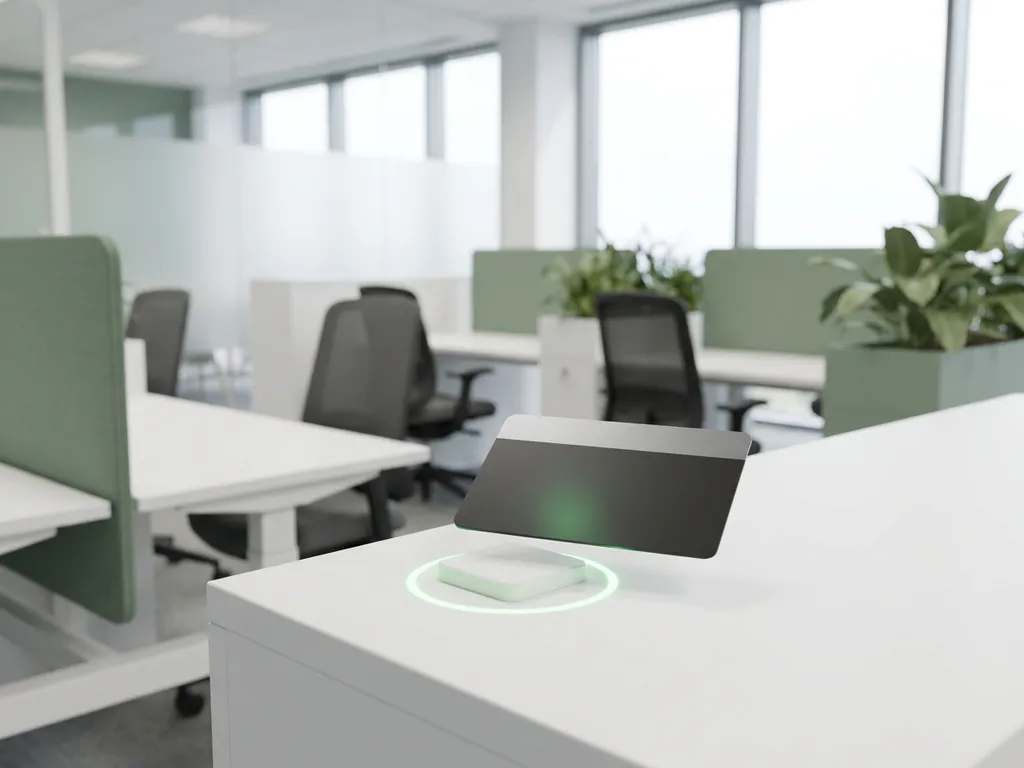
Yes, NFC card check-in can meaningfully improve workplace culture and employee experience. When employees can tap a card to claim a desk or confirm a meeting room in seconds, friction disappears from the start of their workday. That frictionless experience builds over time into something more significant: a workplace that feels responsive, organized, and worth showing up to. The sections below answer the most common questions about how NFC check-in works, what it solves, and whether it is the right fit for your office.
How does NFC card check-in actually work in an office?
NFC card check-in works by using short-range radio frequency communication between a contactless card or badge and a reader mounted at a desk, room panel, or entry point. When an employee taps their card, the system instantly identifies them, confirms or activates their booking, and logs their presence. The entire interaction takes less than a second.
In a hybrid office context, NFC check-in typically integrates with a central smart office platform that manages desk reservations, room bookings, and occupancy data. The NFC reader acts as the physical confirmation point that connects the digital booking to real-world presence.
Most implementations use the same employee badge or access card that staff already carry, which means there is no new hardware for employees to manage. The reader recognizes the card, validates the booking made in advance through an app or calendar integration, and marks the space as occupied. If someone has not prebooked, some systems also allow walk-up tap-to-book functionality directly at the desk.
What workplace problems does NFC check-in solve?
NFC check-in directly addresses three of the most persistent operational problems in hybrid offices: ghost bookings, inaccurate occupancy data, and slow or inconsistent check-in processes. Each of these problems quietly erodes both productivity and workplace culture when left unresolved.
Ghost bookings occur when employees reserve a desk or room and then either forget to cancel or simply do not show up. Without a physical confirmation step, the space sits blocked and unavailable to colleagues who need it. NFC check-in introduces a hard confirmation requirement: if no one taps within a set window, the booking is automatically released.
Beyond ghost bookings, NFC check-in also resolves these common pain points:
- Uneven space utilization where some areas are overcrowded while others sit empty, because occupancy data is unreliable
- Colleague visibility gaps where employees arriving at the office cannot easily tell who else is in and where they are sitting
- Manual check-in bottlenecks at reception or shared workstations that slow down the start of the workday
- Compliance gaps in organizations that need accurate records of who was present in which space and when
How does NFC check-in affect employee experience day to day?
NFC check-in improves daily employee experience by removing the small but cumulative frustrations that make hybrid office days feel unreliable. When arriving at the office is consistently smooth, employees build confidence in the workspace and are more likely to plan office days rather than avoid them.
The practical difference shows up in moments that happen every day. An employee arrives, taps their badge at the desk they booked the night before, and their workstation is confirmed and ready. There is no searching for a free spot, no awkward conversation about whether someone is coming back to a desk, and no wasted time walking the floor.
Over time, this reliability shifts the psychological relationship employees have with the office. A workplace that works predictably feels worth committing to. For organizations trying to encourage voluntary office attendance in a hybrid model, that shift in perception is genuinely valuable. NFC desk booking removes a layer of uncertainty that, while small in isolation, accumulates into a real reason to stay home instead.
What’s the difference between NFC check-in and QR code or app-based check-in?
The key difference is the speed and reliability of the physical confirmation step. NFC check-in requires a single tap with no screen interaction, no camera alignment, and no dependency on phone battery or signal. QR code check-in requires opening a phone camera or app, scanning a code, and waiting for a response. App-based check-in requires unlocking a phone, navigating to the right screen, and manually confirming location.
In practice, NFC is faster and more consistent, particularly in high-traffic moments like a morning rush when many employees arrive within the same short window. It also works reliably for employees who prefer not to use personal devices for work systems, since the office badge handles everything.
That said, each method has a legitimate use case:
- NFC card check-in is best for organizations where speed, consistency, and badge-based access are already standard
- QR code check-in works well in lower-traffic environments or where hardware installation is not feasible
- App-based check-in suits mobile-first workforces that already use a workplace app for booking and navigation
- Combined approaches allow employees to choose their preferred method while the system records all check-ins in a unified way
For most hybrid offices with a structured desk booking system, NFC offers the lowest friction and the highest data reliability of the three.
Does NFC check-in data improve workplace analytics?
Yes, NFC check-in data significantly improves workplace analytics because it produces verified, real-time occupancy records rather than estimates based on bookings alone. Every tap generates a time-stamped data point that reflects actual presence, not just intent. That distinction matters enormously when making decisions about space allocation, lease planning, or hybrid work policy.
With accurate NFC-generated occupancy data, facility and operations managers can answer questions that booking data alone cannot:
- Which desks and zones are actually used versus merely reserved?
- What is the real peak occupancy time on each day of the week?
- How long do employees typically stay at a desk after checking in?
- Are certain floors or areas consistently underused despite being available?
This level of granularity supports more confident decisions. Rather than guessing how much space the organization actually needs, leadership can use verified occupancy patterns to right-size the office, reduce energy consumption in unused zones, and build a business case for workplace investment based on real usage evidence.
What does an office need to implement NFC card check-in?
Implementing NFC card check-in requires four core components: NFC-enabled reader hardware at each check-in point, a workplace management platform that processes and stores check-in data, an employee identity system that links cards to user profiles, and a booking system that the check-in confirmation connects to.
In most modern offices, the employee access badge already carries NFC capability, which simplifies rollout considerably. The main investment is in the readers and the software integration. Key requirements to assess before implementation include:
- Existing badge infrastructure to determine whether current cards are NFC-compatible or need replacing
- Integration capability with Microsoft 365 or Google Workspace so bookings and check-ins sync automatically
- Data privacy compliance, particularly GDPR readiness if the organization operates in Europe, since check-in data constitutes personal presence records
- Network connectivity at each reader location to ensure real-time sync with the central platform
The physical installation of desk or room readers is typically straightforward. The more significant planning effort goes into mapping which spaces need readers, configuring the check-in logic (such as how long before a no-show booking is released), and communicating the change to employees so adoption is smooth from day one.
How GoBright helps with NFC card check-in and smart office management
We built GoBright specifically to solve the hybrid workplace challenges described throughout this article. Our Smart Office platform combines NFC-enabled hardware with a unified software layer that handles desk booking, room booking, visitor management, and workplace analytics in one place.
Here is what that means in practice for your organization:
- NFC and contactless check-in built into our desk and room panels, so employees confirm presence with a single tap using their existing badge
- Real-time occupancy data that feeds directly into our analytics dashboard, giving facility managers verified insights rather than booking estimates
- Native integrations with Microsoft Teams, Outlook, and Google Workspace, so check-ins and bookings stay in sync without manual effort
- GDPR compliance and ISO 27001 certification with European data hosting, so presence records are handled to the highest security standard
- Licensing per desk or room rather than per user, which keeps costs predictable as your workforce grows or changes
If you are evaluating whether NFC card check-in is the right fit for your office, we are happy to walk you through how it works in environments similar to yours. Get in touch with our team and we will help you map out a practical path forward.
Frequently Asked Questions
How long does it typically take to roll out NFC card check-in across an entire office?
For most mid-sized offices, a full NFC check-in rollout takes between two and six weeks from initial planning to go-live. The hardware installation itself is relatively quick — mounting readers at desks and room panels usually takes a day or two — but the bulk of the timeline goes into configuring integrations with your calendar system, mapping check-in logic, and running a brief employee communication campaign. Piloting in one zone or floor before a full rollout is a practical way to catch configuration issues early and build internal confidence before scaling.
What happens if an employee forgets their badge or loses it — can they still check in?
Yes, most NFC-enabled workplace platforms support fallback check-in methods for exactly this scenario. Employees can typically check in via a mobile app, a QR code at the desk, or through a front desk override — all of which log to the same central system. It is worth configuring at least one fallback option before go-live so that a forgotten badge never completely blocks someone from accessing their workspace. Some organizations also issue temporary NFC-enabled cards at reception for this purpose.
Can NFC check-in data be used to monitor individual employee attendance or behavior?
This is one of the most important questions to address transparently with employees before rollout. NFC check-in data records when and where a card was tapped, which technically can be used to track individual patterns. Best practice — and in many jurisdictions, a legal requirement — is to use this data in aggregated, anonymized form for space planning rather than for individual performance monitoring. Organizations operating under GDPR must ensure employees are clearly informed about what data is collected, how it is stored, and for what purpose, with a lawful basis established before deployment.
How do you get employees to actually adopt NFC check-in rather than ignoring it or working around it?
Adoption succeeds when employees understand the benefit to them personally, not just the benefit to the organization. Framing NFC check-in as the tool that guarantees their desk is ready and releases spaces they do not use — rather than as a monitoring system — significantly reduces resistance. A brief pre-launch communication explaining the why, a short demo during onboarding, and visible feedback (such as a green light confirming a successful check-in) all reinforce the habit quickly. Most organizations report that adoption becomes self-reinforcing within two to three weeks once employees experience the reliability it delivers.
What is the difference between NFC check-in and occupancy sensors — do you need both?
NFC check-in and occupancy sensors serve complementary but distinct purposes. NFC check-in creates an intentional, identity-linked record of presence — it confirms who is at a space and connects that to a booking. Occupancy sensors (such as PIR motion detectors or CO₂ monitors) detect whether a space is physically occupied regardless of whether a booking exists, but they do not know who is there. For most hybrid offices, NFC check-in alone is sufficient for desk and room management. Sensors add value in areas where anonymous occupancy counts matter — such as open lounges, phone booths, or building-wide energy management — and the two can work together within a unified platform.
How should you configure the no-show release window, and what is a reasonable default?
The no-show release window — the time after a booking starts before an unchecked-in desk or room is automatically released — is one of the most impactful settings to get right. Set it too short and you penalize employees who are running a few minutes late; set it too long and ghost bookings persist long enough to frustrate colleagues looking for space. A 15-minute window is the most common default for desks, and 10 minutes works well for meeting rooms where back-to-back bookings are frequent. It is worth reviewing this setting after the first month of live data, since actual arrival patterns in your office may suggest a tighter or looser threshold than the default.
Is NFC card check-in suitable for offices with a large proportion of visitors or contractors, not just regular employees?
Yes, but it requires a slightly different setup for non-permanent staff. Visitors and contractors typically do not carry the same NFC-enabled badge as employees, so organizations usually handle this through temporary NFC cards issued at reception, QR-based check-in as a parallel method, or visitor management workflows that pre-register guests and link them to a host's booking. A well-configured visitor management module — integrated with the same platform handling desk and room check-ins — keeps all presence records unified and ensures compliance records are complete regardless of whether the person checking in is a full-time employee or an external guest.