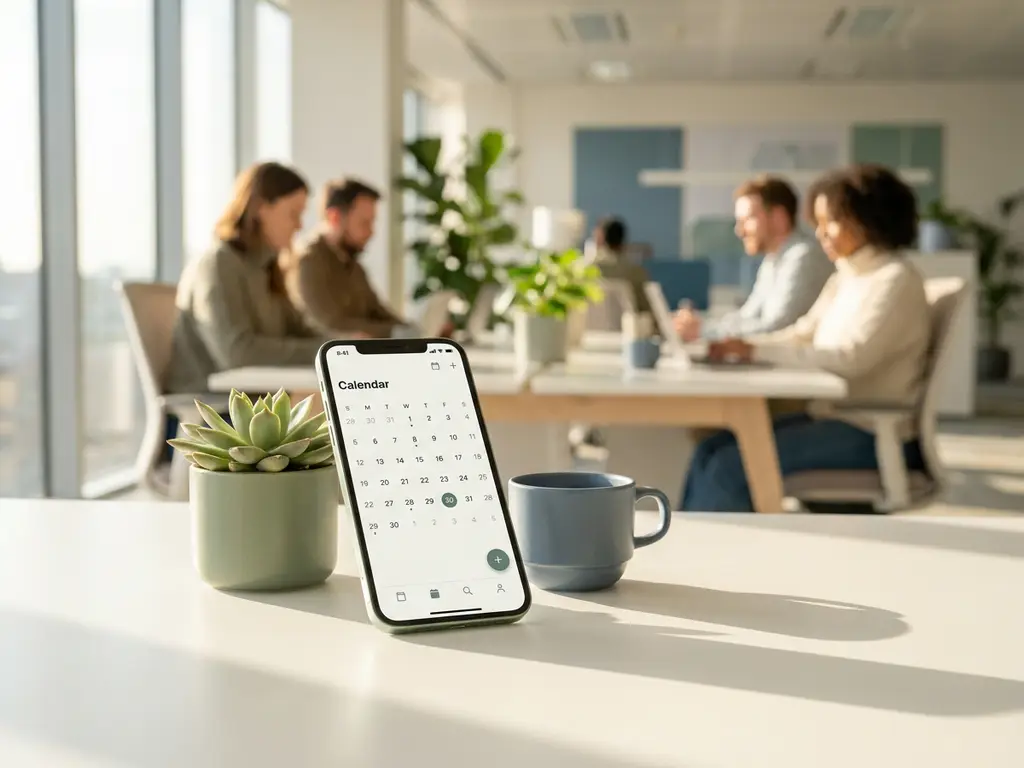
Mobile workspace apps support workplace culture by making the office easier to use, more social, and more intentional. When employees can book a desk, find a colleague, or reserve a meeting room from their phone before they even leave home, the office stops feeling like a gamble and starts feeling like a place worth showing up to. The sections below unpack the most common questions organizations ask before adopting a smart office app.
What do mobile workspace apps actually do in a hybrid office?
Mobile workspace apps give employees real-time control over how, when, and where they work in the office. Through a single app on their phone or laptop, they can book a desk, reserve a meeting room, check who else is coming in, and navigate the building, all before they arrive. In a hybrid office, that level of visibility removes the friction that often stops people from bothering to come in at all.
The core functions a typical smart office app covers include:
- Desk booking with live floor plan views so employees can choose where they sit
- Room reservations with availability shown in real time, including equipment and catering options
- Colleague location so teams can coordinate and sit near each other
- Visitor registration for a smooth, professional guest experience
- Wayfinding and digital signage to help people navigate unfamiliar or large office floors
Together, these features turn a traditional, often underused office into a flexible environment that adapts to how people actually want to work rather than forcing them into fixed habits.
How do mobile workspace apps improve the employee experience?
Mobile workspace apps improve the employee experience by eliminating the small but persistent frustrations that make office days feel unpredictable. Arriving to find no available desk, walking three floors to discover a booked room is empty, or spending twenty minutes trying to locate a colleague are all problems that a good desk booking app solves directly. Reducing that friction makes the office feel worth the commute.
Beyond the practical benefits, there is a cultural dimension. When employees have autonomy over their workspace, they feel more trusted and more in control of their working day. That sense of agency is particularly important for hybrid workers who split their time between home and office. A mobile app that respects their preferences, remembers their favourite desk settings, and lets them plan their week with confidence signals that the organization has invested in their day-to-day experience.
Flexible working tools also support inclusion. Employees with accessibility needs, specific equipment requirements, or caring responsibilities that affect when they can come in benefit significantly from a system that lets them plan ahead and guarantee the right setup is waiting for them.
Can a workspace app help employees collaborate better in person?
Yes, and this is one of the most underappreciated benefits of a mobile workspace app. Features like team booking and colleague locating allow employees to coordinate their office days so they are physically present at the same time, which is the foundation of meaningful in-person collaboration. Without that visibility, hybrid teams often end up in the office on different days without realizing it.
Team booking features let a team lead or project manager reserve a cluster of desks for the whole group on the days that matter most for collaboration, such as kick-offs, workshops, or planning sessions. Employees can then see who from their team has checked in, where they are sitting, and whether there is a meeting room available nearby. This turns the office from a collection of individual workstations into a genuinely social and productive environment.
The result is that collaboration becomes intentional rather than accidental. Teams stop relying on chance encounters and start using data and tools to make their time together count.
What’s the difference between a workspace app and a traditional room booking system?
A traditional room booking system is a single-function tool, usually a calendar integration or a panel outside a meeting room, that lets employees reserve a space. A mobile workspace app is a unified platform that connects room booking, desk booking, colleague visibility, visitor management, analytics, and more into one experience accessible from any device. The difference is scope, integration, and intelligence.
Traditional systems often create what facility managers call tool spaghetti: separate platforms for rooms, desks, visitors, and signage that do not talk to each other, create duplicate data, and require significant IT overhead to maintain. A smart office app eliminates that complexity by syncing all bookings and linked services automatically.
There are a few other meaningful distinctions worth noting:
- Real-time availability: Workspace apps show live occupancy across the whole building, not just whether a single room is booked.
- Mobile-first design: Employees can book, change, or cancel from their phone, not just from a desktop calendar.
- Integrations: Modern apps connect natively with Microsoft Teams, Outlook, and Google Workspace so bookings appear in the tools employees already use.
- Analytics: Workspace apps generate occupancy and usage data that traditional systems simply cannot provide.
- Ghost meeting prevention: Smart apps can automatically release rooms when no one checks in, freeing up space that would otherwise sit empty.
How do workspace apps support a return-to-office strategy?
Workspace apps support a return-to-office strategy by making the office feel predictable, social, and worth the trip. One of the most common reasons employees resist coming in is uncertainty: will there be a desk available, will my team be there, will I spend the day on video calls in an open-plan office? A mobile workspace app addresses each of those concerns directly by giving employees control and visibility before they leave home.
For organizations actively encouraging more office attendance, a workspace app also provides the data needed to make evidence-based decisions. Rather than mandating specific days based on guesswork, managers can identify which days see the most natural footfall, which teams tend to overlap, and where the building has untapped capacity. That insight makes it possible to design nudges and incentives that feel helpful rather than punitive.
Equally important is the signal a good app sends to employees. Investing in a smart office solution communicates that the organization takes hybrid work seriously and has built an environment that supports it, rather than simply expecting people to adapt to an office that was designed for a pre-hybrid world.
What workplace data can a mobile workspace app provide to managers?
A mobile workspace app provides managers with occupancy data, usage patterns, peak-hour analysis, and space utilization rates across desks, rooms, and floors. This data makes it possible to move from gut-feel decisions about office layout and capacity to evidence-based facility management. For organizations where 25 to 40 percent of desks sit empty on any given day, that visibility is genuinely valuable.
The most useful data points a smart office app typically delivers include:
- Occupancy rates by floor, zone, or individual desk over time
- Room utilization including how often booked rooms are actually used versus abandoned
- Peak days and hours so facilities teams can plan cleaning, catering, and resource allocation accordingly
- No-show rates that reveal how much space is being blocked without use
- Team overlap patterns showing which groups tend to come in together and whether their space supports that
For C-level stakeholders and facility managers, this data underpins decisions about real estate investment, desk-to-employee ratios, and sustainability targets. For IT and operations teams, it provides the evidence needed to justify platform investment and demonstrate ROI over time.
How GoBright supports workplace culture through smart office technology
We built our platform around exactly the challenges described above. GoBright’s Smart Office solution combines desk booking, room reservations, visitor management, digital signage, and workplace analytics into a single, unified platform that employees can access from their phone, laptop, or the touchscreen panels on meeting room doors.
Here is what that means in practice for your organization:
- Employees can book a desk, find their team, and plan their office day from the GoBright app before they leave home
- Facility managers get real-time occupancy data and usage analytics to optimize space and reduce costs
- IT teams benefit from native Microsoft 365 and Google Workspace integrations, ISO 27001 certification, GDPR compliance, and European data hosting
- Organizations pay per desk or room rather than per user, making the platform significantly more cost-efficient as headcount grows
Whether you are building out a return-to-office strategy, redesigning your floor plan, or simply trying to make the office a place your people genuinely want to be, we are here to help. Get in touch with our team to see how GoBright can work for your workplace.
Frequently Asked Questions
How long does it typically take to roll out a mobile workspace app across an organization?
Most organizations can go live with a mobile workspace app like GoBright within a few weeks, depending on the size of the office and the complexity of integrations required. The fastest deployments happen when IT teams use native Microsoft 365 or Google Workspace integrations, since employees can log in with credentials they already have and bookings sync automatically with existing calendars. A phased rollout — starting with one floor or one team — is a practical approach that builds confidence before scaling company-wide.
What if employees don't adopt the app and continue booking desks or rooms informally?
Low adoption is usually a sign that the app adds friction rather than removing it, so the first step is to audit the onboarding experience and make sure the booking flow is genuinely faster than the informal alternative. Practical nudges help: sending a weekly office schedule digest, enabling team booking so colleagues invite each other in, and displaying real-time availability on lobby screens all reinforce the habit without mandating it. Once employees experience the benefit of knowing their desk and team are confirmed before they commute, adoption tends to become self-sustaining.
How do workspace apps handle privacy — can managers see exactly where individual employees are sitting?
This depends on how the platform is configured, and most enterprise-grade workspace apps give organizations control over the level of visibility they expose. GoBright, for example, allows organizations to show colleague presence at a zone or floor level rather than pinpointing an exact desk, which balances coordination with personal privacy. It is worth involving HR, works councils, or employee representatives early in the configuration process to agree on visibility settings that align with company culture and local data protection regulations.
Can a workspace app integrate with the tools our teams already use, like Microsoft Teams or Outlook?
Yes — native integrations with Microsoft 365 (including Teams and Outlook) and Google Workspace are a standard feature of modern workspace platforms. This means employees can book a desk or meeting room directly from their calendar or a Teams channel without switching to a separate app, and all bookings appear automatically in their existing schedule. For IT teams, this also simplifies authentication and reduces the number of standalone tools that need to be managed and secured.
What's the best way to use workspace data to justify the cost of the platform internally?
The most compelling ROI case combines space utilization data with real estate costs: if your workspace app shows that 30% of desks are consistently unused, you can calculate the cost per empty desk and weigh it against the platform fee to demonstrate clear savings potential. No-show rates and ghost meeting data are equally persuasive for senior stakeholders, since they make visible a problem that was previously invisible. Most platforms, including GoBright, provide exportable reports that can be formatted directly into a business case or board presentation.
Do workspace apps work for smaller companies, or are they mainly designed for large enterprises?
Workspace apps are genuinely useful at any scale, but the value proposition shifts depending on company size. For smaller organizations, the biggest gains are usually in reducing the daily friction of finding a desk or room and making hybrid coordination effortless, rather than in large-scale analytics. Pricing models that charge per desk or room rather than per user — as GoBright does — make the platform cost-effective even for companies with a few dozen employees, since the cost scales with the space being managed rather than the headcount using it.
What common mistakes should organizations avoid when implementing a workspace app for the first time?
The most frequent mistake is treating the app rollout as a purely technical project and underinvesting in the change management side — employees need to understand why the tool exists and what problem it solves for them personally, not just how to use it. A second common pitfall is configuring too many mandatory fields or approval steps in the booking flow, which creates enough friction that employees revert to informal habits. Finally, organizations that skip the data review phase miss the opportunity to use occupancy insights to refine their hybrid policy and space design over the first few months of operation.
