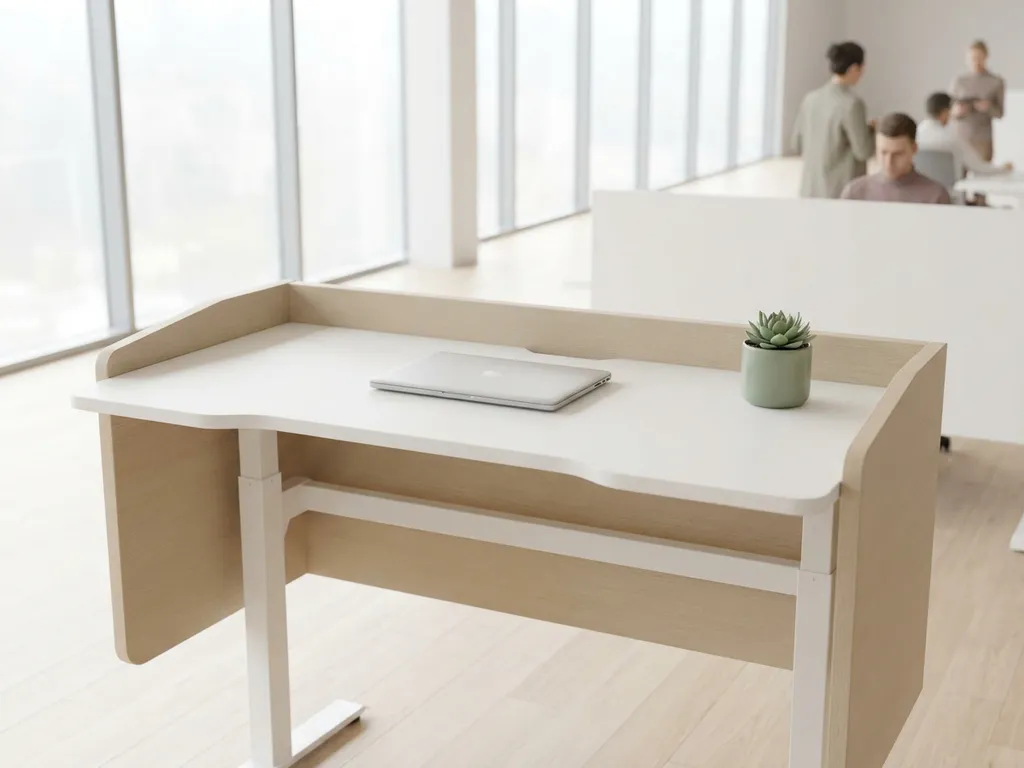
You can implement a desk reservation system without disrupting workplace culture by introducing it gradually, communicating the reasons clearly, and giving employees real agency in how they use it. The key is treating desk booking as a tool that supports the way people already want to work, not a control mechanism imposed on them. Done right, it removes daily friction rather than adding it.
Most resistance comes not from the technology itself but from how the rollout is handled. Organizations that involve employees early, respect team habits, and pair booking tools with updated workplace policies tend to see fast adoption and genuine cultural buy-in. The questions below unpack each piece of that puzzle.
What makes employees resistant to desk booking systems?
Employees resist desk booking systems primarily because they feel like surveillance or a loss of autonomy. When people have had a fixed desk for years, being asked to book a seat can feel like their sense of belonging in the office is being taken away. The resistance is rarely about the technology itself; it is about what the change signals.
Common triggers for pushback include:
- Loss of personal space, no permanent desk means no place to keep personal items or feel settled
- Uncertainty about sitting near teammates, employees worry they will end up isolated from the colleagues they collaborate with most
- Distrust of the system’s purpose, some assume booking data will be used to monitor attendance rather than improve the office
- Extra steps in the morning routine, if booking feels like administrative overhead rather than a convenience, adoption drops quickly
The antidote is transparency. When leadership explains that desk reservation data is used to optimize space and reduce wasted square footage, not to track individuals, the tone of the conversation shifts. Pairing that message with a genuinely easy booking experience closes most of the gap.
How does desk reservation affect team cohesion and collaboration?
A well-designed desk reservation system actually strengthens team cohesion by making it easier for colleagues to find and sit near each other. Without a booking system in a flexible office, people arrive and scatter randomly. With one, teams can coordinate in advance, reserve adjacent desks, and show up knowing their working group is together.
The critical factor is whether the system supports team-based booking. Features like group reservations and colleague-locating tools allow people to plan collaborative days intentionally rather than leaving it to chance. When employees can see where their teammates are sitting before they arrive, the office becomes a place worth coming to.
The risk to cohesion arises only when organizations implement desk booking without thinking about team dynamics. If every desk is treated as equally interchangeable and teams cannot coordinate their bookings, the office can feel fragmented. Designing zones for specific teams or project groups within a smart office setup is a straightforward way to preserve the social fabric of work.
What’s the difference between hot desking and desk reservation?
Hot desking means employees take any available desk on a first-come, first-served basis with no advance booking. Desk reservation means employees claim a specific desk ahead of time through a system, guaranteeing their workspace before they arrive. The distinction matters because desk reservation solves most of the frustrations that make hot desking unpopular.
With hot desking, uncertainty is built in. Employees arrive not knowing whether they will find a suitable spot, whether their team will be nearby, or whether the desk they prefer is free. In hybrid work environments where not everyone comes in every day, this unpredictability discourages office attendance altogether.
Desk reservation removes that uncertainty. Employees can book from home the night before, choose a desk in their team’s zone, and walk in with a confirmed workspace. For organizations adopting activity-based working, desk reservation also enables smarter space design, pairing quiet focus desks, collaboration areas, and social zones with booking logic that matches the work being done.
How should organizations roll out desk booking without forcing it?
Roll out desk booking by starting with a pilot group, making the system genuinely useful before expanding it, and never mandating it before employees have had a chance to experience the benefits themselves. Adoption driven by positive experience is far more durable than adoption driven by policy enforcement.
A practical rollout sequence looks like this:
- Start with early adopters, identify teams or individuals who are already enthusiastic about flexible working and invite them to test the system first
- Gather honest feedback early, ask what works, what is confusing, and what would make the system more useful before rolling it out further
- Communicate the why clearly, share the reasoning with the whole organization before the system goes live, focusing on employee benefits rather than cost savings
- Make booking frictionless, integrate with tools people already use, such as Microsoft Teams or Outlook, so booking a desk takes seconds rather than minutes
- Expand gradually, move from pilot to department-wide to organization-wide over a realistic timeline, adjusting based on what you learn at each stage
Avoid setting hard rules about when or how often employees must book before the system has proven its value. Trust builds adoption far faster than mandates.
Which workplace policies need to change before introducing desk reservations?
Before introducing a desk reservation system, organizations need to update their hybrid work policy, their clean desk policy, and their approach to team coordination. Without these foundations, even the best booking software creates confusion rather than clarity.
The most important policy updates include:
- Hybrid work guidelines, define how many days employees are expected or encouraged to come in, so desk availability can be planned realistically
- Clean desk policy, in a flexible office, no one owns a desk permanently, which means personal items need clear storage rules so desks are always ready for the next person
- No-show and cancellation norms, ghost bookings waste space just as ghost meetings do, so teams need agreed expectations around cancelling desks they will not use
- Team coordination practices, encourage teams to align their in-office days so that coming in means actually working with colleagues, not sitting on a half-empty floor
These policy changes do not need to be rigid or punitive. Framing them as shared agreements rather than rules tends to get much better engagement from employees who are already navigating the ambiguity of hybrid work.
How do you measure whether desk reservation is working?
You measure the success of a desk reservation system by tracking occupancy rates, booking utilization, no-show rates, and employee satisfaction over time. Together, these metrics tell you whether the system is improving how the office is used and whether employees find it genuinely helpful.
Key indicators to monitor include:
- Occupancy rate, what percentage of available desks are actually being used on a given day, and how does this compare to before the system was introduced
- Booking utilization, are booked desks being used, or are employees booking and not showing up
- Peak and off-peak patterns, which days and zones are oversubscribed and which are underused, so you can adjust space allocation accordingly
- Employee satisfaction scores, periodic pulse surveys asking whether employees find it easy to find a workspace and whether they feel the office meets their needs
The most useful data comes from combining booking records with real occupancy data. Sensors that detect whether a desk is actually in use, rather than just booked, give a much more accurate picture of how space is being consumed. This combination enables facility managers to make evidence-based decisions about office layout, capacity, and investment.
How GoBright helps you implement desk reservation the right way
We built our desk booking solution specifically for organizations navigating the complexity of hybrid work, where the goal is not just filling desks but creating an office experience people genuinely want to come back to.
Here is what makes our approach practical from day one:
- Frictionless booking, employees can reserve a desk directly from Microsoft Teams, Outlook, our app, or a touchscreen panel, with no extra logins or learning curve
- Team Booking and Find My Colleague, teams can coordinate their in-office days and sit near each other without guesswork, which directly addresses the cohesion concerns that make employees skeptical of flexible offices
- Real-time occupancy analytics, facility managers get accurate data on how desks, zones, and floors are actually being used, not just booked, enabling smarter space decisions
- GDPR-compliant and ISO 27001 certified, employee data stays on European servers and is never used for individual surveillance, which removes one of the biggest trust barriers to adoption
- Licensed per desk, not per user, costs scale with your physical space, not your headcount, making it more predictable as your organization grows
If you are planning a desk reservation rollout and want to get it right from the start, we would love to help. Get in touch with us and we can walk you through what works for organizations at your stage.
Frequently Asked Questions
Can desk reservation systems work for smaller companies, or are they only practical at enterprise scale?
Desk reservation systems are genuinely useful at almost any size, but the implementation scope should match the organization. A company with 30 people in a hybrid model benefits just as much from eliminating the daily "where do I sit?" friction as a company with 3,000. Smaller organizations can often start with a lightweight setup — a single integration with Microsoft Teams or Outlook, a handful of bookable zones — and scale the configuration as their needs grow. The key is not to over-engineer the rollout; start simple, solve the immediate problem, and add complexity only when the data or employee feedback calls for it.
What should we do about employees who refuse to use the booking system at all?
Resistance from a minority of employees is normal and usually signals an unresolved concern rather than blanket opposition to the system. The most effective first step is a direct conversation to understand what specifically feels wrong — whether it's distrust of the data use, discomfort with losing a fixed spot, or simply unfamiliarity with the tool. Addressing those concerns individually, offering a short hands-on walkthrough, and pairing resistant employees with enthusiastic colleagues who can demonstrate the day-to-day ease tends to resolve most holdouts. Avoid jumping to enforcement before you have genuinely tried to remove the barrier, as mandating adoption before trust is established tends to deepen resistance rather than eliminate it.
How do we handle desk reservations for employees with accessibility needs or specific equipment requirements?
The cleanest solution is to designate certain desks as permanently or preferentially bookable for employees with specific needs — whether that means adjustable-height desks, proximity to accessible facilities, or desks pre-configured with specialized equipment. Most desk booking platforms allow you to tag desks with attributes so employees can filter their search by requirement rather than browsing a generic map. It is also worth reviewing your clean desk policy to allow exceptions for employees who need to leave assistive equipment in place between visits. Documenting this clearly in your hybrid work policy ensures no employee feels they have to re-justify their needs every time they book.
How far in advance should employees be allowed to book a desk, and should there be a booking window limit?
A booking window of one to two weeks works well for most hybrid organizations — it gives employees enough lead time to plan their in-office schedule without allowing speculative bookings that block space for months. Some organizations also implement a same-day release rule, where unconfirmed bookings are automatically cancelled by a set time in the morning to free up desks for walk-ins. The right window depends on how predictable your team's schedules are; organizations with structured hybrid policies (e.g., fixed in-office days per week) can afford a shorter window, while those with more fluid attendance benefit from slightly more advance booking flexibility. Reviewing no-show rates after the first few months will tell you whether your window needs tightening.
What happens to desk reservation data, and how do we reassure employees it won't be used to monitor them individually?
This concern is one of the most common adoption blockers, and it deserves a direct, proactive answer rather than waiting for employees to ask. Be explicit in your communications about what data is collected (desk usage patterns, occupancy rates, zone popularity), what it is used for (space optimization, layout decisions, capacity planning), and what it is not used for (tracking individual attendance or building performance cases). Choosing a platform that is GDPR-compliant, stores data on regional servers, and provides aggregated rather than individual-level reporting makes this promise credible. Sharing a plain-language data use summary with employees before launch — not buried in a policy document — goes a long way toward building the trust that makes voluntary adoption possible.
Should we permanently assign any desks, or should everything be bookable?
A fully flexible model works well in theory but often creates friction in practice, particularly for roles that require specialized equipment, employees with accessibility needs, or senior staff who are in the office daily. A hybrid approach — where the majority of desks are bookable but a small number are designated or semi-permanent — tends to get better cultural acceptance without undermining the space efficiency gains that motivated the system in the first place. Team neighborhood zones, where a cluster of desks is loosely associated with a specific team without being individually assigned, offer a useful middle ground: employees get the familiarity and cohesion of a home base without the rigidity of permanent allocation.
How long does it typically take to see measurable results after implementing a desk reservation system?
Most organizations start seeing reliable occupancy data within the first four to six weeks of a full rollout, once booking behavior has stabilized and employees are using the system consistently. Meaningful space optimization decisions — like consolidating underused floors on low-attendance days or redesigning zone layouts — typically become possible after two to three months of data. Employee satisfaction improvements tend to show up faster, often within the first few weeks, particularly among employees who previously struggled to find a desk near their team. Setting a formal review point at the 90-day mark, combining occupancy analytics with a short pulse survey, gives you a clear and evidence-based picture of what is working and what still needs adjustment.
