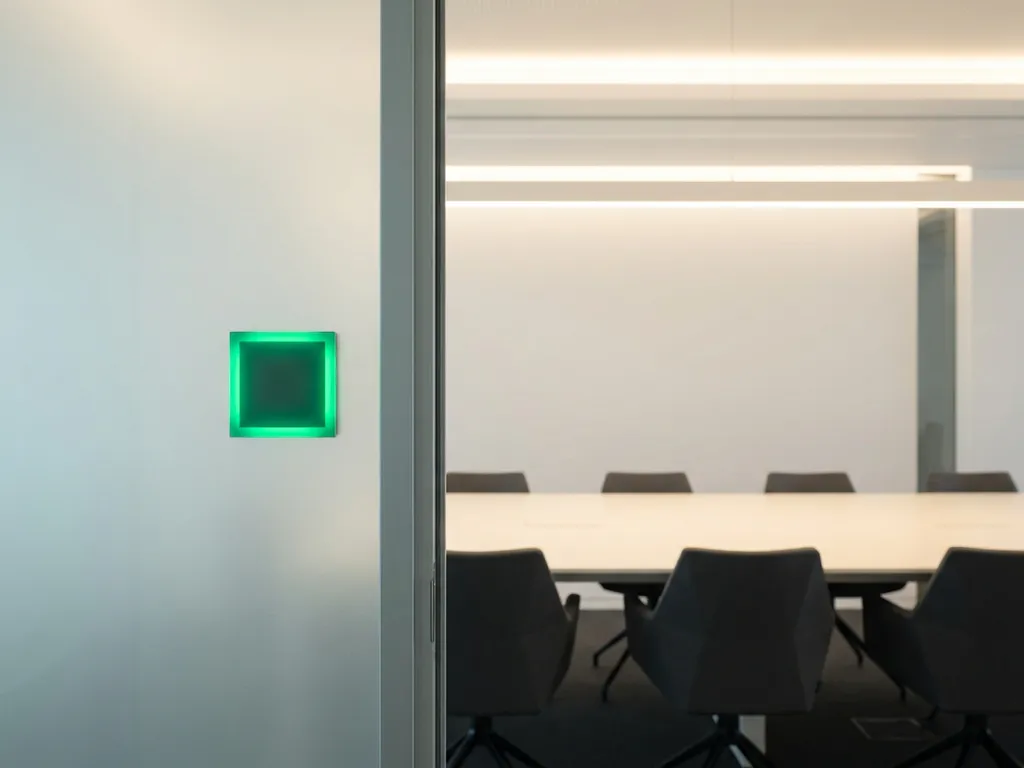
Real-time room availability reduces meeting conflicts by showing employees the live status of every meeting room the moment they need it, eliminating the guesswork and double-booking that occurs when scheduling relies on outdated calendar data. When everyone works from the same live feed of room occupancy, the gap between what a calendar says and what is actually happening disappears. The sections below unpack the specific causes of conflict, the mechanics behind real-time data, and what to look for when choosing a room scheduling solution.
What actually causes meeting room conflicts in modern offices?
Meeting room conflicts in modern offices stem from a combination of outdated scheduling systems, poor visibility into actual room use, and human behavior. The most common culprits are double bookings caused by calendar sync delays, rooms that are booked but never used, and ad hoc meetings that spill into reserved slots. Together these create a cycle of frustration that no amount of goodwill can fix without the right technology.
Several structural issues make the problem worse:
- Calendar lag: When room calendars do not update instantly, two people can book the same room within seconds of each other without either system flagging the conflict.
- No-shows and ghost meetings: Employees book rooms and then fail to cancel when plans change, leaving rooms locked in calendars while colleagues search for space.
- Informal bookings: Teams claim rooms by placing a laptop on the table rather than booking through the system, creating invisible occupancy that no tool can track.
- Lack of a single source of truth: When some employees book via Outlook, others via Teams, and others via a room panel, inconsistencies build up quickly.
The result is that office space sits underused or overcontested at the same time, often within the same building on the same day.
How does real-time room availability work technically?
Real-time room availability works by combining live sensor data, calendar integrations, and touchscreen room panels into a single synchronized system that updates room status within seconds of any change. Unlike scheduled calendar refreshes, real-time systems push updates the moment a booking is made, extended, cancelled, or when a sensor detects that a room is occupied or empty.
The key technical components are:
- Occupancy sensors: Placed in or near meeting rooms, these detect physical presence and report back to the platform, so a room booked but empty after ten minutes can be automatically released.
- Two-way calendar sync: The system connects natively with Microsoft 365 or Google Workspace, meaning a booking made in Outlook appears instantly on the room panel and vice versa.
- Touchscreen room displays: Mounted outside each room, these panels show live availability in green or red, allow on-the-spot bookings, and prompt users to confirm or release their booking.
- A centralized platform: All data flows into one unified system, so every touchpoint reflects the same real-time state without manual reconciliation.
The speed of synchronization is what makes the difference. A system that updates every few minutes still creates windows of conflict. Genuinely real-time data closes that window entirely.
What’s the difference between real-time availability and standard room booking?
The key difference is that standard room booking tells you what a room is scheduled to be doing, while real-time availability tells you what a room is actually doing right now. A standard booking system is essentially a calendar with a room attached. Real-time availability is a live feed of physical occupancy combined with scheduling data.
In practice, this means a standard booking system can show a room as occupied for the next two hours even though the meeting was cancelled and the room has been empty since 9:15. A real-time system would have detected the absence via sensor, prompted the booker to confirm or release the room, and made it available to colleagues within minutes.
For organizations managing hybrid work, this distinction matters enormously. Employees coming into the office specifically to collaborate need confidence that the room they see as available will actually be free when they arrive. Standard booking cannot provide that confidence. Real-time room scheduling can.
How do ghost meetings affect office space utilization?
Ghost meetings are bookings that remain active in the calendar after the meeting has been cancelled, moved, or simply never took place. They directly reduce office space utilization by locking rooms that are physically empty, preventing other teams from using that capacity. In offices where space is already limited, even a handful of ghost meetings per day creates a measurable drag on productivity.
The impact compounds across the week. If a room holds ghost bookings for two or three slots per day, that is potentially ten or more hours of wasted capacity weekly per room. In a building with twenty meeting rooms, the cumulative loss is significant, and it is almost entirely invisible without the right data.
Real-time room availability addresses ghost meetings in two ways. First, occupancy sensors detect when a booked room remains empty past a set threshold and can automatically release it. Second, touchscreen panels prompt employees to check in when they arrive, and if no check-in is registered, the booking is cancelled and the room becomes available. Both mechanisms require no manual intervention from facility teams, which is a key reason smart office platforms are increasingly standard in hybrid workplaces.
Which integrations make real-time room data more reliable?
The integrations that make real-time room data most reliable are native connections with Microsoft 365 (including Outlook and Teams) and Google Workspace, combined with hardware-level sensor integrations that feed occupancy data directly into the booking platform. Without these, real-time data is partial at best.
Here is why each integration matters:
- Microsoft Outlook and Teams: Most employees already book meetings here. A native integration means room availability reflects calendar changes instantly, with no third-party sync delays.
- Google Workspace: For organizations using Google Calendar, the same principle applies. Bidirectional sync ensures that a booking made anywhere is visible everywhere.
- Occupancy and desk sensors: Calendar data alone cannot confirm physical presence. Sensor integration closes the gap between what is booked and what is occupied.
- Single sign-on (SSO): Reduces friction for employees and ensures that user identity is consistent across all touchpoints, improving data accuracy.
- Analytics dashboards: Integrating room data with a reporting layer allows facility managers to identify patterns, peak usage times, and chronic underutilization.
The more tightly these integrations connect, the less room there is for data inconsistencies to creep in and create the very conflicts the system is designed to prevent.
What should organizations look for in a real-time room booking system?
Organizations should look for a system that combines live occupancy data, native calendar integrations, intuitive hardware, and strong data security in a single unified platform. A solution that excels at booking but lacks sensor support, or that integrates with Outlook but not Teams, will still leave gaps that lead to conflicts.
The most important criteria to evaluate are:
- Genuine real-time sync: Confirm that updates propagate in seconds, not minutes, across all booking channels.
- Hardware quality: Touchscreen room panels should be responsive, clearly visible, and capable of triggering automatic releases when check-in is missed.
- Ease of use: If employees find the system cumbersome, they will work around it, which recreates the informal booking problem.
- Scalability: The system should handle growth across multiple sites without requiring significant reinvestment.
- Security and compliance: For European organizations especially, GDPR compliance, ISO 27001 certification, and European data hosting are non-negotiable.
- Licensing model: Per-room or per-desk licensing is more predictable and cost-efficient than per-user pricing as headcount fluctuates.
- Analytics: Workplace data is only valuable if it is accessible. Look for clear dashboards that help facility managers make evidence-based decisions about space.
Choosing a system that checks all these boxes is not just a technology decision. It is a strategic one that shapes how effectively your organization can run a hybrid workplace at scale.
How GoBright helps reduce meeting conflicts with real-time room availability
We built our Smart Office platform specifically to solve the problems described throughout this article. Our room booking solution gives employees and facility teams a single, reliable source of truth for every meeting room in the building, updated in real time across every channel they already use.
Here is what that looks like in practice:
- Book rooms instantly via the GoBright app, Microsoft Teams, Outlook, or a touchscreen panel outside the room
- Live availability is always visible, so employees never walk into a conflict
- Automatic check-in prompts and sensor-based occupancy detection eliminate ghost meetings without manual intervention
- Native integrations with Microsoft 365 and Google Workspace ensure two-way sync with no lag
- Detailed analytics show which rooms are overbooked, underused, or consistently abandoned
- ISO 27001-certified, GDPR-compliant, and hosted on European servers for full data security
- Licensed per room rather than per user, keeping costs predictable as your organization grows
If your organization is dealing with persistent meeting conflicts, ghost bookings, or a lack of visibility into how your office space is actually being used, we would love to show you what is possible. Get in touch with our team and let us walk you through a solution built for the way modern teams actually work.
Frequently Asked Questions
How long does it typically take to implement a real-time room booking system across an office?
Implementation timelines vary depending on the size of your office and the complexity of your existing IT infrastructure, but most organizations can expect a full deployment within a few weeks. The process generally involves installing room panel hardware, connecting the platform to your existing Microsoft 365 or Google Workspace environment, and configuring occupancy sensors. Working with a vendor that offers dedicated onboarding support can significantly reduce downtime and ensure employees are up and running with minimal disruption.
Can real-time room availability work for hybrid teams where employees aren't always in the office?
Yes, and in fact hybrid teams are among the biggest beneficiaries of real-time room availability. Remote employees can check live room status and make bookings before they even commute in, giving them confidence that the space they need will actually be free when they arrive. Because the system syncs bidirectionally with tools like Microsoft Teams and Google Calendar, hybrid workers can manage room bookings from wherever they are without needing to be on-site.
What happens if the internet connection goes down — will the room booking system stop working?
Most enterprise-grade room booking platforms are designed with offline resilience in mind, meaning touchscreen room panels can continue to display current booking information and accept local interactions even during brief connectivity interruptions. Once the connection is restored, any changes made offline are synced back to the central platform automatically. It is worth asking any vendor you evaluate specifically how their hardware handles connectivity loss before committing to a solution.
How do occupancy sensors handle privacy concerns, especially in offices subject to GDPR?
Modern occupancy sensors used in room booking systems detect presence rather than identity — they register that a room is occupied, not who is in it, which means no personal data is collected or stored. For organizations operating under GDPR, this distinction is critical, and reputable vendors will be transparent about exactly what data their sensors capture and how it is processed. When evaluating a solution, look for ISO 27001 certification, European data hosting, and a clear data processing agreement to ensure full compliance.
What's the best way to get employees to actually adopt the new room booking system instead of reverting to informal habits?
Adoption is almost always an ease-of-use problem rather than a resistance problem — if the system is harder to use than sending a Slack message or dropping a laptop on a table, employees will take the path of least resistance. The most effective approach is to choose a system that integrates directly into the tools your team already uses daily, such as Microsoft Teams or Outlook, so booking a room feels like a natural extension of their existing workflow. Pairing the rollout with a brief internal communication campaign that explains the benefits and shows employees how simple the process is can dramatically accelerate adoption.
How can facility managers use room booking data to make better decisions about office space?
Real-time room booking platforms generate a continuous stream of utilization data that facility managers can use to identify patterns such as which rooms are consistently overbooked, which are rarely used, and what times of day see peak demand. This evidence base makes it possible to make smarter decisions about room configuration, such as converting an underused large boardroom into two smaller collaboration spaces, or adjusting cleaning and maintenance schedules to match actual usage. Over time, this data can also inform broader real estate decisions, helping organizations right-size their office footprint based on how space is genuinely being used rather than assumptions.
Is a per-room licensing model always more cost-effective than per-user pricing?
For most organizations, per-room licensing is more predictable and scales more favorably than per-user pricing, particularly in hybrid environments where the number of active employees in the office fluctuates day to day. With per-user pricing, costs can spike as headcount grows even if the number of physical rooms stays the same, whereas per-room pricing ties your costs directly to the physical capacity you are managing. That said, it is worth modeling both options against your specific ratio of employees to meeting rooms to confirm which structure makes the most financial sense for your organization.
