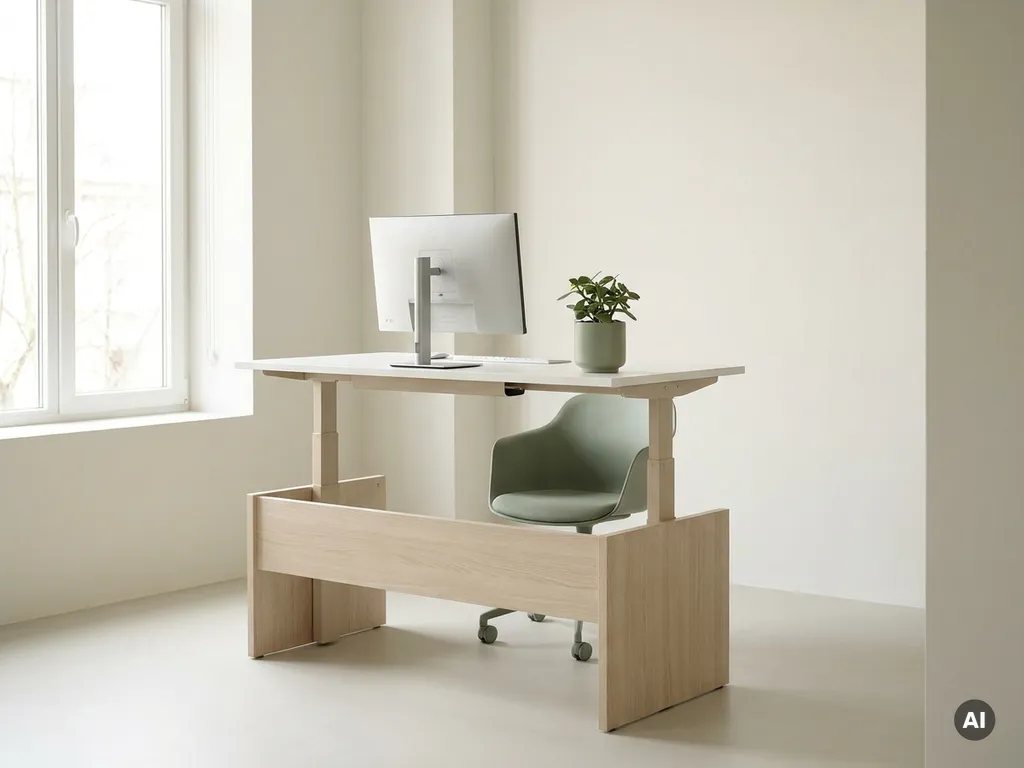
Office ergonomics is more important than ever in 2026 because the way people use office space has fundamentally changed. Hybrid work means employees no longer sit at a fixed, personally adjusted desk every day: they move between workstations, home setups, and collaborative spaces, creating entirely new physical and organizational challenges. The questions below unpack what that means for your workplace, your people, and your responsibilities as an organization.
How has hybrid work changed ergonomic needs in the office?
Hybrid work has transformed office ergonomics from a one-time desk setup into an ongoing, dynamic challenge. When employees no longer have a permanent, personally configured workstation, they must adapt to different chairs, screens, and desk heights every time they come in. This inconsistency is one of the biggest ergonomic risks organizations face today.
In a traditional office, an employee could invest time in adjusting their workstation once and benefit from that setup indefinitely. In a hybrid model, a person might sit at three different desks in a single week, each with a different chair height, monitor position, and keyboard placement. Without the right systems in place, most employees simply do not readjust their workstation when they arrive. They work in whatever position they find, often for hours at a time.
This shift also means that ergonomic responsibility has become shared. Employees carry some of it at home, and organizations carry it in the office. Getting that balance right requires both awareness and the right tools.
What are the most common ergonomic risks in modern offices?
The most common ergonomic risks in modern offices include poor posture from unadjusted workstations, prolonged static sitting, inadequate monitor positioning, and insufficient lighting. In hybrid environments, these risks are amplified because employees frequently use workstations that were not set up for them personally.
Here are the ergonomic risks that facility and HR teams encounter most often:
- Non-adjustable or unadjusted seating: chairs that are too high, too low, or lacking lumbar support cause lower back strain over time
- Poor monitor height and distance: screens positioned too low or too far away lead to neck tension and eye strain
- Keyboard and mouse placement: wrists bent at unnatural angles increase the risk of repetitive strain injuries
- Prolonged sitting without movement: staying seated for long stretches without breaks puts sustained pressure on the spine and reduces circulation
- Inadequate lighting: glare on screens or insufficient ambient light leads to headaches and fatigue
- Acoustic discomfort: open-plan offices without proper sound management cause cognitive fatigue and reduced focus
In hybrid offices where hot-desking is the norm, these risks are compounded by the fact that employees rarely take the time to fully adjust a shared workstation before starting work.
How does poor office ergonomics affect productivity and wellbeing?
Poor office ergonomics directly reduces productivity and employee wellbeing by causing physical discomfort, increasing fatigue, and contributing to musculoskeletal problems that lead to absenteeism. The effects are not always immediate: they accumulate over weeks and months, making them easy to overlook until they become serious.
From a wellbeing perspective, employees who experience regular discomfort at work report lower job satisfaction and higher stress levels. Physical pain is distracting. It reduces the ability to concentrate, shortens the time a person can sustain focused work, and makes the office a less appealing place to be, which matters especially when organizations are trying to encourage people to come in more often.
From a productivity standpoint, the impact is equally significant. Discomfort leads to more frequent breaks, slower cognitive processing, and more errors. Over time, musculoskeletal issues become a leading cause of sick leave. Organizations that invest in good ergonomics consistently see lower absenteeism rates and higher reported engagement from their teams.
There is also a talent dimension. In 2026, employees have real choices about where and how they work. An office that is physically uncomfortable is a harder sell than one that feels well-designed and thoughtfully equipped.
What ergonomic standards should offices meet in 2026?
In 2026, offices should meet ergonomic standards that address workstation adjustability, lighting quality, acoustic conditions, and movement opportunities throughout the workday. While specific regulations vary by country, the direction of travel across most European jurisdictions is toward more comprehensive employer responsibility for employee physical health, in the office and, increasingly, at home.
Key benchmarks that modern offices should aim for include:
- Height-adjustable desks: sit-stand desks allow employees to alternate between sitting and standing, reducing the strain of prolonged static posture
- Adjustable chairs with lumbar support: seating should support the natural curve of the spine and be easy to adjust without tools
- Monitor positioning at eye level: screens should sit at a distance of roughly 50 to 70 centimeters and at a height that keeps the neck in a neutral position
- Adequate and glare-free lighting: a mix of natural and artificial light that minimizes screen glare and supports visual comfort
- Acoustic zoning: quiet areas for focused work and separate spaces for collaboration, reducing cognitive overload in open-plan layouts
- Breakout and movement spaces: areas that encourage employees to step away from their desks and move throughout the day
Beyond physical standards, organizations in 2026 are also expected to provide ergonomic guidance to hybrid workers for their home setups. Duty of care does not stop at the office door.
How can smart workplace technology support better office ergonomics?
Smart workplace technology supports better office ergonomics by giving employees the ability to book workstations that match their needs, enabling desk personalization across shared spaces, and providing organizations with the data they need to make informed decisions about their physical environment.
One of the most practical applications is desk booking with ergonomic memory. When employees can book a specific desk and store their personal settings (chair height, monitor position, desk height), they arrive at a workstation that is already configured for them. This removes the friction that usually prevents people from adjusting shared workstations and ensures consistent physical support regardless of which day they come in.
Occupancy data is equally valuable. When facility managers can see which desks and spaces are actually being used, they can make evidence-based decisions about where to invest in ergonomic upgrades. Rather than applying a uniform solution across the entire floor, they can prioritize the areas that see the highest footfall and the most varied use.
Our workplace solutions are designed with exactly this in mind. GoBright’s platform combines desk booking, interactive maps, and occupancy analytics into a single unified system, making it easier for both employees and facility managers to create a working environment that genuinely supports physical health.
Who is responsible for office ergonomics in a hybrid workplace?
In a hybrid workplace, responsibility for office ergonomics is shared between the employer, facility management, HR, and individual employees. No single party can manage it alone, but the employer carries the primary legal and organizational responsibility for the in-office environment.
Employer and facility management responsibilities
Organizations are responsible for ensuring that the physical office meets ergonomic standards. This includes providing adjustable furniture, appropriate lighting, acoustic management, and clear guidance on how to use the equipment available. Facility managers play a central role in translating these requirements into practical space design and maintenance.
HR and people team responsibilities
HR teams are responsible for making sure employees know what good ergonomics looks like and how to achieve it, both in the office and at home. This includes onboarding information, periodic reminders, and creating a culture where raising ergonomic concerns is normal and encouraged rather than seen as a complaint.
Employee responsibilities
Employees are responsible for using the tools and guidance available to them. This means actually adjusting a workstation when they sit down, taking regular breaks, and communicating when something in their environment is causing discomfort. Ergonomics only works when it becomes a daily habit, not a one-off exercise.
The most effective approach in 2026 is a shared ownership model: organizations create the right conditions, and employees are empowered and expected to use them. Smart workplace tools make this collaboration easier by reducing the effort required on both sides.
How GoBright helps improve office ergonomics
GoBright’s Smart Office platform makes it significantly easier for organizations to support good office ergonomics in a hybrid work environment. Rather than leaving employees to navigate shared spaces without guidance, we give them the tools to book the right workspace for their needs and arrive at a desk that is ready for them.
Here is what that looks like in practice:
- Desk booking with ergonomic preferences: employees can book specific desks and save personal settings, so their workstation is configured before they even sit down
- Interactive floor maps: employees can see which desks are available and where colleagues are sitting, making it easy to choose a space that suits the day’s activities
- Occupancy analytics: facility managers get real-time and historical data on which spaces are used most, enabling targeted ergonomic investments where they matter most
- Room booking for focused and collaborative work: employees can easily reserve the right type of space for the task at hand, reducing time spent in environments that do not support their work style
- Energy-saving desk sensors: these contribute to a sustainable and responsive office environment that adapts to actual usage patterns
Good office ergonomics is not just about furniture. It is about giving people the right environment for the right kind of work, and having the data to keep improving it over time. If you want to see how we can help your organization build a smarter, healthier workplace, get in touch with us and we will be happy to walk you through it.
