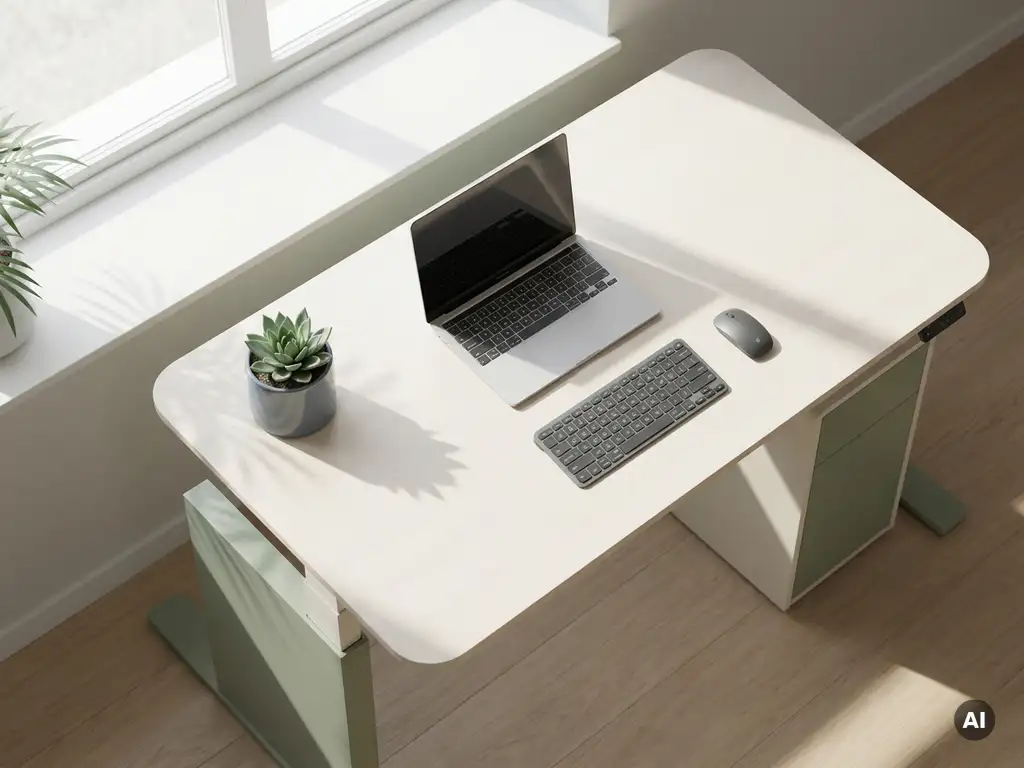
You can improve office ergonomics in a hybrid work environment by combining consistent physical setup standards with flexible, technology-enabled systems that adapt to how and where people work each day. The challenge is that hybrid workers move between multiple workspaces, so ergonomics cannot be a one-time fix: it requires ongoing attention to both the office and the home setup. The sections below address the most common questions organizations ask when building a more ergonomic hybrid workplace.
What are the biggest ergonomic challenges in hybrid work?
The biggest ergonomic challenges in hybrid work are inconsistency and unpredictability. Employees regularly shift between a home setup, a hot desk, a meeting room, and sometimes a third location, each with different furniture, screen heights, and seating. Without a fixed workstation, it becomes nearly impossible to maintain the postural consistency that good office ergonomics depends on.
Several factors compound this challenge:
- Variable desk and chair heights that do not suit every body type
- Inconsistent monitor positioning leading to neck and shoulder strain
- Laptop dependency at home or in informal office spaces, which encourages poor posture
- Lack of awareness among employees about how to self-adjust their workspace
- No centralized oversight from employers who cannot physically observe remote setups
The result is a workforce that may spend part of the week in a well-equipped office and the rest of the week hunched over a kitchen table. Over time, this inconsistency contributes to musculoskeletal discomfort, reduced concentration, and lower productivity, issues that are preventable with the right approach.
How does hot-desking affect employee ergonomics?
Hot-desking affects employee ergonomics by removing the personalized setup that traditional assigned seating provides. When employees cannot rely on a familiar chair, desk, or monitor height, they often default to whatever is available rather than adjusting the workspace to suit their body, which increases the risk of strain and discomfort over the course of a working day.
That said, hot-desking does not have to mean poor ergonomics. Organizations can offset the risks by:
- Investing in height-adjustable desks that employees can adapt quickly
- Providing ergonomic chairs with clearly labeled adjustment points
- Ensuring monitor arms or raised screens are available at every workstation
- Using desk booking systems that allow employees to save personal preferences and return to setups that work for them
- Posting simple ergonomic guides at each desk so employees know how to adjust the space in under two minutes
The key insight is that flexibility and ergonomics are not opposites. With the right furniture and a smart booking system, hot-desking can still support healthy, comfortable work.
What ergonomic equipment is essential for a home office setup?
The essential ergonomic equipment for a home office setup includes an adjustable chair with lumbar support, an external monitor or laptop stand, a separate keyboard and mouse, and adequate lighting. These four elements address the most common sources of discomfort: poor posture, eye strain, wrist and shoulder tension, and neck flexion from looking down at a laptop screen.
Beyond the basics, the following additions make a meaningful difference:
- A sit-stand desk or desk converter to allow posture changes throughout the day
- A monitor at eye level, positioned roughly an arm’s length away
- A headset or speakerphone to avoid cradling a phone between ear and shoulder during calls
- A footrest for employees whose feet do not rest flat on the floor at their preferred seat height
- Task lighting that reduces glare on screens without creating harsh shadows
None of these items need to be expensive to be effective. The biggest gains in home office ergonomics often come from small adjustments: raising a monitor, adding a cushion for lumbar support, or simply moving a desk away from a window to reduce screen glare.
How can organizations track and improve ergonomics across a hybrid workforce?
Organizations can track and improve ergonomics across a hybrid workforce by combining self-assessment tools, manager check-ins, and workspace data to build a clearer picture of how and where people are working. Because hybrid setups are distributed by nature, no single observation or audit will capture the full picture: a layered approach is more effective.
Practical steps include:
- Rolling out a digital ergonomic self-assessment that employees complete for both their home and office setups
- Using desk booking data to identify which workstations are used most frequently and prioritizing ergonomic upgrades for those spaces
- Scheduling periodic virtual ergonomic reviews, particularly for employees who work remotely most of the week
- Training line managers to recognize and flag early signs of discomfort during one-to-one conversations
- Tracking sick leave and reported musculoskeletal complaints as a proxy for ergonomic risk across teams
Workplace analytics tools can also surface useful patterns. If occupancy data shows that certain desks or zones are consistently avoided, it may point to environmental issues (poor lighting, inadequate furniture, or uncomfortable temperatures) that affect both ergonomics and employee wellbeing. Explore our workplace solutions to see how data can inform smarter office decisions.
Should employers provide ergonomic equipment for home offices?
Yes, employers should provide ergonomic equipment for home offices, or at minimum contribute financially toward it. When an organization asks employees to work from home as part of a formal hybrid arrangement, it takes on a duty of care that extends beyond the physical office. Providing the tools employees need to work safely is both a legal consideration in many jurisdictions and a practical investment in long-term productivity.
The business case is straightforward. Employees who work in poorly set up home environments are more likely to experience discomfort, take more sick days, and report lower engagement over time. The cost of a quality chair, an external monitor, or a laptop stand is modest compared to the cost of reduced output or absenteeism.
A reasonable approach for most organizations involves three tiers:
- A core equipment allowance that covers the essentials: chair, monitor or stand, keyboard, and mouse
- A top-up fund for employees with specific needs, such as those with existing musculoskeletal conditions or accessibility requirements
- A loan or return scheme that allows equipment to be returned if an employee’s working arrangements change
Framing this as an investment rather than a perk tends to generate stronger organizational buy-in, especially when linked to measurable outcomes like reduced absenteeism or higher employee satisfaction scores.
What’s the difference between office ergonomics and remote ergonomics standards?
The difference between office ergonomics and remote ergonomics standards lies primarily in control and enforcement. Office ergonomics standards are set and maintained by the employer, who can specify furniture specifications, conduct physical assessments, and make adjustments directly. Remote ergonomics standards, by contrast, rely on employee self-management, self-reporting, and employer guidance, because the employer cannot control the home environment in the same way.
In practical terms, this means:
- Office environments can be standardized with compliant furniture, regulated lighting, and regular professional assessments
- Remote environments vary widely and depend on the employee’s living situation, available space, and personal equipment
- Legal obligations in many countries still apply to remote work, but enforcement and inspection are more difficult to operationalize
- Guidance and education become the primary tools for remote ergonomics, replacing the direct interventions possible in an office
For hybrid organizations, the most effective approach is to treat office and remote ergonomics as two parts of a single strategy rather than separate concerns. Consistent standards, clear communication, and accessible support apply in both contexts, even if the methods of delivery differ.
How GoBright supports a healthier, more ergonomic hybrid workplace
Improving office ergonomics in a hybrid environment is not just about furniture: it is about giving employees the right workspace at the right time, every time they come into the office. That is where we come in.
GoBright’s Smart Office platform helps organizations create ergonomics-friendly workplaces by:
- Enabling desk booking with saved preferences, so employees can return to setups that already suit them rather than starting from scratch each visit
- Providing occupancy and usage analytics that help facility managers identify underused or problematic zones and prioritize ergonomic upgrades where they matter most
- Supporting activity-based working with diverse space types (focus desks, collaboration areas, and quiet zones) so employees can choose the environment that fits their task and posture needs
- Integrating with Microsoft 365 and Google Workspace, making it easy for employees to plan their office days and secure the right workspace in advance
When employees know they will have a comfortable, well-equipped desk waiting for them, they are more likely to come into the office, and more likely to do their best work when they do. Ready to make your hybrid office work better for everyone? Get in touch with us and let’s talk about what that looks like for your organization.
