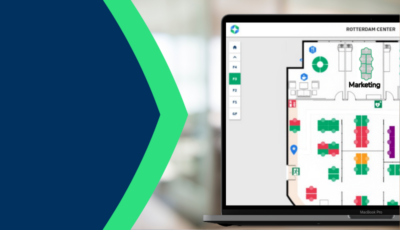
Zonder betrouwbare bezettingsgegevens worden beslissingen over vastgoed, ruimte-indelingen, energieverbruik en werkplekstrategieën gebaseerd op aannames in plaats van feiten. De WiFi-bezettingsmeting GoBrightbiedt hiervoor een oplossing: snel en tegen aanzienlijk lagere kosten dan bij het gebruik van sensoren. Door gebruik te maken van de bestaande wifi-infrastructuur van uw gebouw biedt het platform realtime inzicht in de daadwerkelijke bezetting van elke verdieping en het hele gebouw; bovendien zijn er al binnen de eerste week na implementatie door AI gegenereerde trendrapporten beschikbaar.
WAT IS HET METEN VAN DE BEZETTING VIA WIFI?
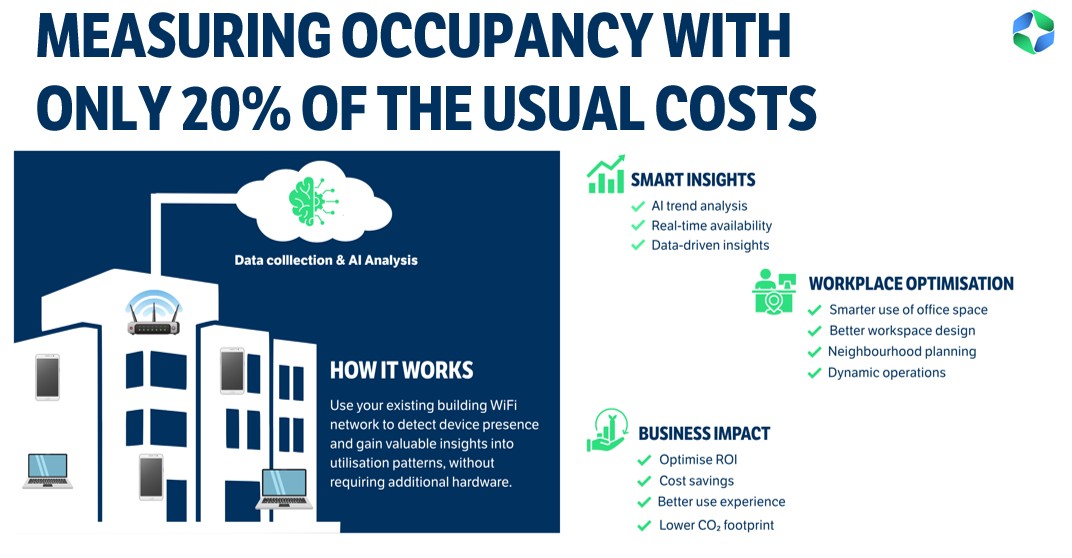
WiFi-bezettingsmeting maakt gebruik van het bestaande WiFi-netwerk van een gebouw om de aanwezigheid van apparaten, zoals smartphones en laptops, te detecteren en dit om te zetten in realtime inzichten over hoe ruimtes worden gebruikt. Het laat zien welke delen van een gebouw bezet zijn, hoe vaak en door hoeveel mensen. Omdat hardware geen extra hardware nodig hardware , is het een snelle, kosteneffectieve manier om inzicht te krijgen in bezettingspatronen in een heel gebouw of op een hele campus. Alle apparaatgegevens worden bij de bron geanonimiseerd, waardoor de oplossing per definitie volledig voldoet aan de AVG.
WAAROM IS HET METEN VAN DE BEZETTINGSGRAAD VIA WIFI NODIG?
Terwijl facility managers klachten krijgen over een tekort aan werkruimte, blijft meer dan de helft van de beschikbare werkplekken in hetzelfde gebouw vaak tegelijkertijd ongebruikt. Het probleem is niet een tekort aan ruimte, maar een gebrek aan inzicht in hoe die ruimte daadwerkelijk wordt gebruikt.
De WiFi-opbezettingsmeetoplossing GoBrightbiedt hiervoor een directe oplossing. Door gebruik te maken van de bestaande WiFi-infrastructuur van uw gebouw biedt deze oplossing realtime inzicht in de bezettingsgraad van elke verdieping en het hele gebouw. U hoeft geen sensoren te installeren. Er is geen extra hardware nodig. U krijgt gewoon duidelijke, bruikbare gegevens op basis van de WiFi-infrastructuur waarover u al beschikt.
Deze oplossing maakt deel uit van het bredere aanbod GoBrightop het gebied van bezettingsmeting. Voor organisaties die gedetailleerde informatie op locatieniveau nodig hebben, kan wifi-bezettingsmeting worden gecombineerd met de bureau- en ruimtesensoren GoBright. Afhankelijk van het soort inzichten dat u nodig hebt, adviseren wij u en bieden wij de juiste combinatie aan. Door AI gegenereerde bezettingsrapporten kunnen worden geconfigureerd voor het gehele gebouw, per gebouw, per verdieping en per gebruikersgroep.
De GoBright bezettingsoplossing GoBright combineert reserveringsgegevens, sensorgegevens en nu ook op wifi gebaseerde bezettingsgegevens om organisaties het meest complete beeld te bieden dat er is van het gebruik van de werkplek.
HOE WERKT WIFI-BEZETTINGSMETING?
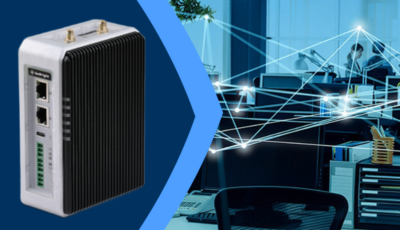
Gebruik van het bestaande wifi-netwerk van uw gebouw via een beveiligde API-integratie; meestal gaat het om een VPN-verbinding met de locatiedienst van uw wifi-systeem; de implementatie duurt ongeveer een week en vereist geen fysieke installatie.
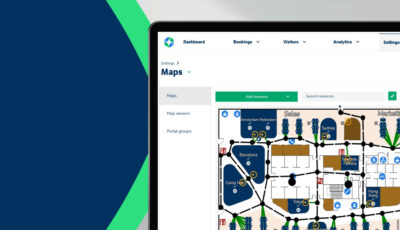
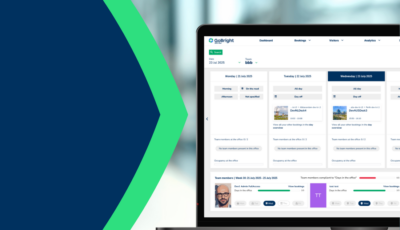
Zodra de verbinding tot stand is gebracht, detecteert het platform de aanwezigheid van wifi-apparaten zoals smartphones, laptops en tablets, en gebruikt het deze gegevens om een continu, anoniem beeld te vormen van de bezettingsgraad in het hele gebouw. De gegevens worden in realtime verwerkt en weergegeven via een dashboard dat toegankelijk is voor facilitair managers, werkplekteams en besluitvormers op het gebied van vastgoed.
AI-algoritmen draaien continu op de achtergrond, waarbij ze patronen herkennen, afwijkingen signaleren en geautomatiseerde trendrapporten genereren. Deze door AI gegenereerde rapporten bevatten duidelijke grafieken en bijbehorende toelichtingen, waardoor de inzichten gemakkelijk te begrijpen zijn en er direct actie op kan worden ondernomen. Al na één maand gegevensverzameling zijn AI-gestuurde trendanalyses beschikbaar, en de meeste organisaties zien binnen enkele weken al zinvolle inzichten.
WELKE INZICHTEN LEVERT HET OP?
De GoBright -bezettingsmeting biedt een reeks gegevensoverzichten en rapporten, die allemaal via het dashboard toegankelijk zijn:
- Real-time beschikbaarheid van ruimtes: een live overzicht van welke ruimtes, verdiepingen en zones op dit moment bezet zijn.
- Analyse op groepsniveau: krijg inzicht in hoe verschillende teams, afdelingen of gebruikersgroepen zich door het gebouw bewegen en er gebruik van maken.
- AI-trendrapporten: wekelijkse of op aanvraag beschikbare rapporten waarin gebruikspatronen, veranderingen in de bezettingsgraad en langetermijntrends in kaart worden gebracht.
- Analyse per wijk en verdieping: bezettingsgraad per zone, nuttig voor de indeling van verdiepingen en het herinrichten van ruimtes.
- Dichtheid en spreiding: inzicht krijgen in of ruimtes op een bepaald moment overbevolkt of onderbenut zijn.
- Retentiegegevens: hoe lang gebruikers in bepaalde zones blijven, wat helpt bij het optimaliseren van de indeling van de zones.
- Portfoliovergelijkingen: vergelijk de bezettingsgraad van meerdere gebouwen of campussen.
Het platform is vanaf het begin af aan in overeenstemming met de AVG. Gegevens worden geanonimiseerd en er worden geen persoonsgegevens opgeslagen of gerapporteerd.
PROEFPROJECT VOOR PRAKTISCHE BEZETTING?
Een van de meest praktische toepassingen is de bezettingsmonitor. Organisaties die een kantoorverhuizing, een herinrichting van een gebouw of een beslissing om hun vastgoedportefeuille uit te breiden of in te krimpen plannen, kunnen het platform gebruiken om eerst gedegen gegevens over de bezettingsgraad te verzamelen.
Omdat hardware geen hardware nodig hardware , kan een proefproject binnen een week van start gaan. De verzamelde gegevens geven vastgoed- en facilitaire teams het vertrouwen om belangrijke beslissingen te nemen op basis van de werkelijkheid, en niet op basis van schattingen.
HET RENDEMENT VAN WIFI- EN SENSORGESTUURDE AANWEZIGHEIDSMETING
De combinatie van op wifi gebaseerde bezettingsmeting en de sensortechnologie GoBrightbiedt iets wat geen enkele andere aanpak kan evenaren: inzicht in het hele gebouw en precisie op bureau- en kamerniveau, dankzij hun synergie.
Wifi-analyses geven u snel een totaalbeeld. Welke verdiepingen zijn drukbezocht? Welke gebouwen worden niet volledig benut? Hoe verandert het gebruik in de loop van de week of het seizoen? Sensoren vullen dit aan met gedetailleerde informatie: welke specifieke werkplekken zijn bezet, in welke vergaderruimtes worden de gereserveerde tijden overschreden en waar wijkt het daadwerkelijke gebruik af van de reserveringsgegevens.
Samen bieden deze twee benaderingen organisaties de nodige onderbouwing om:
- Verlaag de vastgoedkosten door onderbenutte ruimte in kaart te brengen en samen te voegen.
- Ontwerp betere werkplekken op basis van hoe mensen zich daadwerkelijk gedragen, en niet op basis van wat ontwerpers dachten dat ze zouden doen.
- Verminder de CO₂ -voetafdruk van het gebouw door het energieverbruik, de schoonmaak en het faciliteitenbeheer af te stemmen op de daadwerkelijke bezettingsgraad.
- Verbeter de werknemerservaring door een einde te maken aan de frustratie die ontstaat door overvolle ruimtes of moeilijk te vinden plekken.
- Ondersteun strategieën voor hybride werken met gegevens over hoe vaak, wanneer en op welke manier verschillende groepen gebruikmaken van het kantoor.
Voor organisaties die grote bedrijfsvastgoedportefeuilles of campussen met meerdere gebouwen beheren, is het vermogen om het gebruik op grote schaal in kaart te brengen — zonder dat daarvoor nieuwe hardware — een aanzienlijk operationeel voordeel.
WIL JE MEER WETEN?
Onze Smart Workplace-experts kunnen u laten zien hoe deze functie werkt en u helpen om ermee aan de slag te gaan.