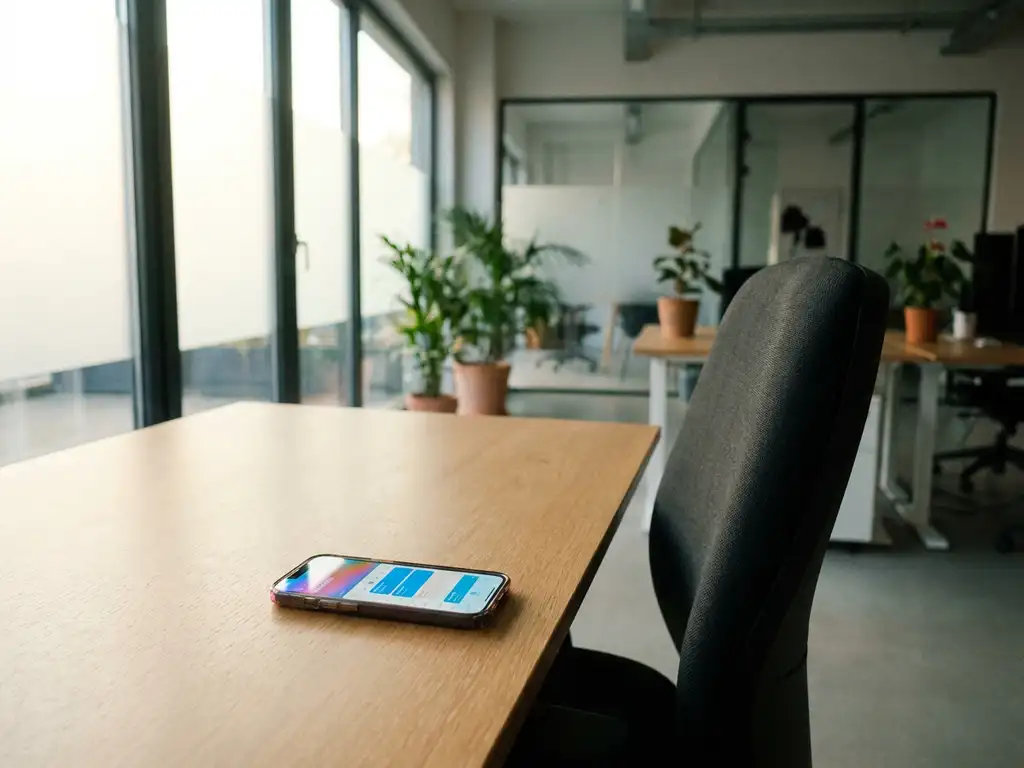
A desk booking system allows hybrid teams to reserve workspaces in advance through digital platforms, ensuring everyone has a place to work when they’re in the office. These systems integrate with calendars and provide real-time availability updates, making flexible work arrangements manageable for both employees and facilities teams. They solve the core challenge of unpredictable office attendance in hybrid work environments.
What is a desk booking system and how does it support hybrid work?
A desk booking system is a digital platform that enables employees to reserve workspaces in advance, providing visibility into office occupancy and helping teams coordinate their in-office days. It transforms traditional assigned seating into flexible workspace allocation that adapts to changing attendance patterns.
These systems support hybrid work by removing the uncertainty around workspace availability. When your team splits time between home and office, you need to know where everyone will be working on any given day. Desk booking systems provide this visibility while ensuring no one arrives at the office without a place to sit.
The technology typically includes mobile apps, web interfaces, and sometimes physical displays showing real-time desk availability. This creates a workplace culture where flexibility becomes structured and manageable rather than chaotic.
Modern desk booking systems integrate with your existing calendar applications, automatically blocking time in your schedule when you book a desk. These integrations help teams plan meetings and collaboration time, and ensure the right people are in the office at the same time.
How do employees actually book and use desks in a hybrid workplace?
Employees typically book desks through mobile apps or web portals by selecting their preferred date, viewing available spaces, and confirming their reservation. The process takes less than a minute and can be completed days or weeks in advance, depending on company booking policies.
The booking experience usually starts with a floor plan view showing available desks in real time. You can filter by location, equipment needs, or proximity to colleagues. Many systems show who else has booked nearby desks, helping teams coordinate their office days naturally.
When you arrive at the office, you check in using the mobile app or by tapping an NFC tag at your reserved desk. This confirms your attendance and updates the system for facilities planning. Some systems include automatic check-in based on your location or Wi-Fi connection.
Throughout the day, you can extend your booking if needed or release it early if you’re leaving. This real-time updating helps other colleagues find available spaces and keeps the system accurate for future planning.
Calendar integration means your desk booking appears as a meeting in your schedule, and colleagues can see where you’ll be working when scheduling meetings or planning collaboration time.
What features make desk booking systems work effectively for hybrid teams?
Effective desk booking systems include colleague location tracking, equipment preferences, calendar integration, and analytics dashboards that help teams coordinate and facilities managers optimize space usage. These features transform basic reservation tools into comprehensive workplace management platforms.
Colleague location tracking shows you who else will be in the office on specific days, helping teams plan collaborative work sessions. You can book desks near teammates or choose quiet areas when you need focused work time.
Equipment preferences allow you to filter desks by available monitors, standing desk options, or proximity to meeting rooms. This ensures you have the right setup for your planned work activities without having to search for equipment after arriving.
Meeting room integration connects desk bookings with conference room reservations, creating a complete picture of space usage. Some systems automatically suggest meeting rooms near your booked desk or show availability for impromptu discussions.
Analytics dashboards provide insights into space utilization, popular booking times, and team attendance patterns. This data helps inform decisions about office layout, capacity planning, and workplace culture initiatives.
Automated notifications remind employees about upcoming bookings, alert them to cancellations, and provide office capacity updates. These communications keep everyone informed without requiring constant app checking.
How do you implement a desk booking system without disrupting your team?
Successful implementation involves gradual rollout phases, comprehensive training, clear booking policies, and proactive change management to address resistance. Start with pilot groups and expand systematically rather than organisation-wide launches that can overwhelm both technology and people.
Begin with a pilot programme involving early adopters or a single department. This allows you to identify technical issues, refine booking policies, and develop training materials based on real user feedback before broader deployment.
Training should cover not just how to use the system, but why it benefits both individuals and teams. Focus on solving real problems people experience with hybrid work, such as arriving at full offices or struggling to find colleagues for collaboration.
Establish clear booking policies covering advance booking windows, cancellation requirements, and consequences for no-shows. Make these policies simple and fair, avoiding overly complex rules that discourage adoption.
Address resistance by listening to concerns and adapting your approach accordingly. Some employees worry about losing flexibility or being monitored. Emphasise how the system actually increases flexibility by providing certainty and choice.
Measure adoption through booking rates, no-show percentages, and user feedback surveys. Set realistic targets and celebrate improvements rather than expecting perfect compliance immediately.
What challenges do companies face with desk booking systems and how do you solve them?
Common challenges include low adoption rates, booking conflicts, technology integration problems, and policy enforcement difficulties. These issues typically stem from poor change management, inadequate training, or systems that don’t match actual work patterns.
Low adoption often occurs when employees don’t see clear benefits or find the system complicated. Solve this by demonstrating specific value propositions, such as guaranteed workspace availability or improved team coordination, and simplifying the booking process to require minimal effort.
Booking conflicts arise when systems don’t sync properly with calendars or when policies allow overbooking. Address this through robust technical integration testing and clear escalation procedures for resolving conflicts quickly.
Technology integration problems typically involve calendar sync issues or single sign-on complications. Work closely with your IT team during implementation to test all integrations thoroughly and have support procedures ready for common technical issues.
Policy enforcement challenges occur when no-show rates are high or people ignore booking requirements. Implement gentle enforcement through automated reminders, usage reports, and positive reinforcement for good booking behaviour rather than punitive measures.
User experience problems often surface when systems are designed for facilities managers rather than employees. Choose products with intuitive mobile interfaces and involve actual users in testing and feedback collection throughout implementation.
Managing desk booking systems effectively requires balancing structure with flexibility, ensuring the technology serves your team’s actual work patterns rather than forcing artificial constraints. When implemented thoughtfully, these systems enhance rather than complicate your hybrid work arrangements.
The key to success lies in treating desk booking as part of broader workplace culture evolution rather than just a technology rollout. Focus on solving real coordination challenges your teams face, and the system becomes a valuable tool rather than an administrative burden.
How GoBright helps with desk booking systems
GoBright provides a comprehensive desk booking solution that eliminates the complexity and friction often associated with workspace management in hybrid environments. Our platform delivers the essential features organizations need to make flexible work arrangements successful for everyone involved.
Key benefits of GoBright’s desk booking system include:
- Seamless calendar integration that automatically syncs with Outlook, Google Calendar, and other platforms
- Real-time availability updates showing desk status and colleague locations instantly
- Mobile-first design enabling quick bookings, check-ins, and modifications from anywhere
- Advanced analytics providing insights into space utilization and attendance patterns
- Flexible booking policies that adapt to your organization’s specific needs and culture
- Easy implementation with dedicated support throughout the rollout process
Ready to transform your hybrid workplace with intelligent desk booking? Contact GoBright today to schedule a demo and discover how our solutions can streamline your workspace management while enhancing employee satisfaction and productivity.