Custom widgets
| Aside from a basic widget, it’s possible to add dynamic content using custom widgets. These can be created or customized to get information from external sources. Examples include news, weather, or traffic information that is visualized within GoBright View. |
News widget
Weather widget
You can read more about how to set up this widget in the OpenWeather article.
There is also a small weather widget available:
Wayfinder widget
Public Transport Widgets (Dutch)
Schedule, Excel Widget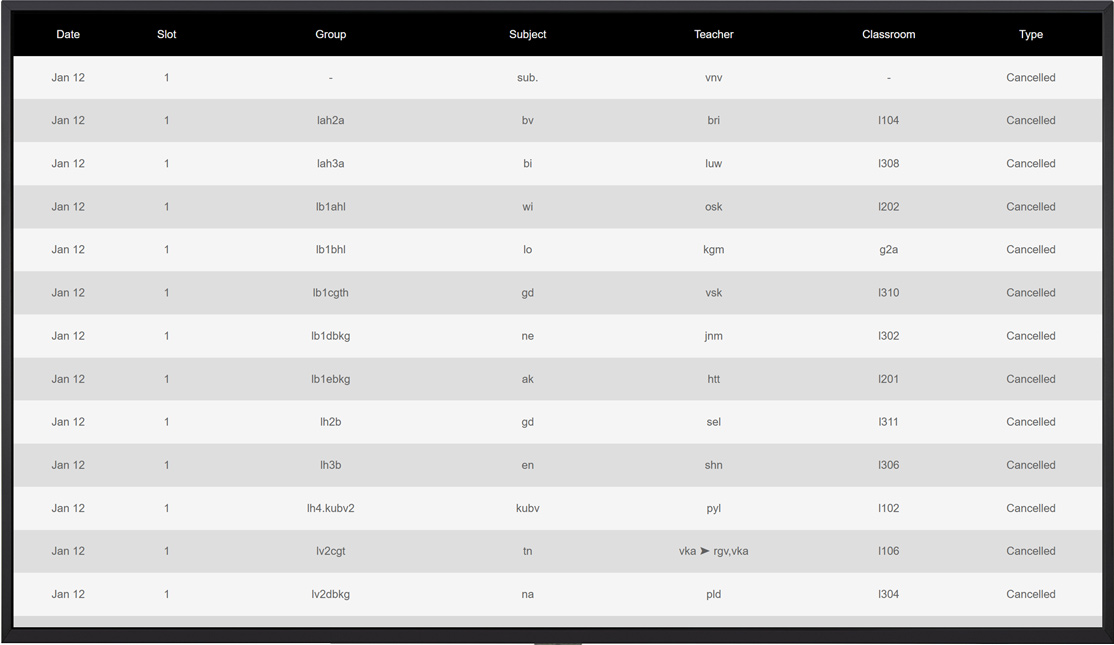
Other available custom widgets
- 9292 (Dutch public transport information)*
- Date & Time widgets
- ANWB (Dutch traffic information)*
- NS (Dutch railroad)
- OneDrive Slideshow
- Excel
- SharePoint
- Verkeerplaza (Dutch traffic info)
- GoBright Wayfinder
- Power BI
- Counter
- Untis*
- Zermelo*
*Paid subscription required, ask your GoBright partner for more information.
Do you want to display your data within GoBright View? Please contact your GoBright partner for more information about customization options. You can also read this article for more information.
