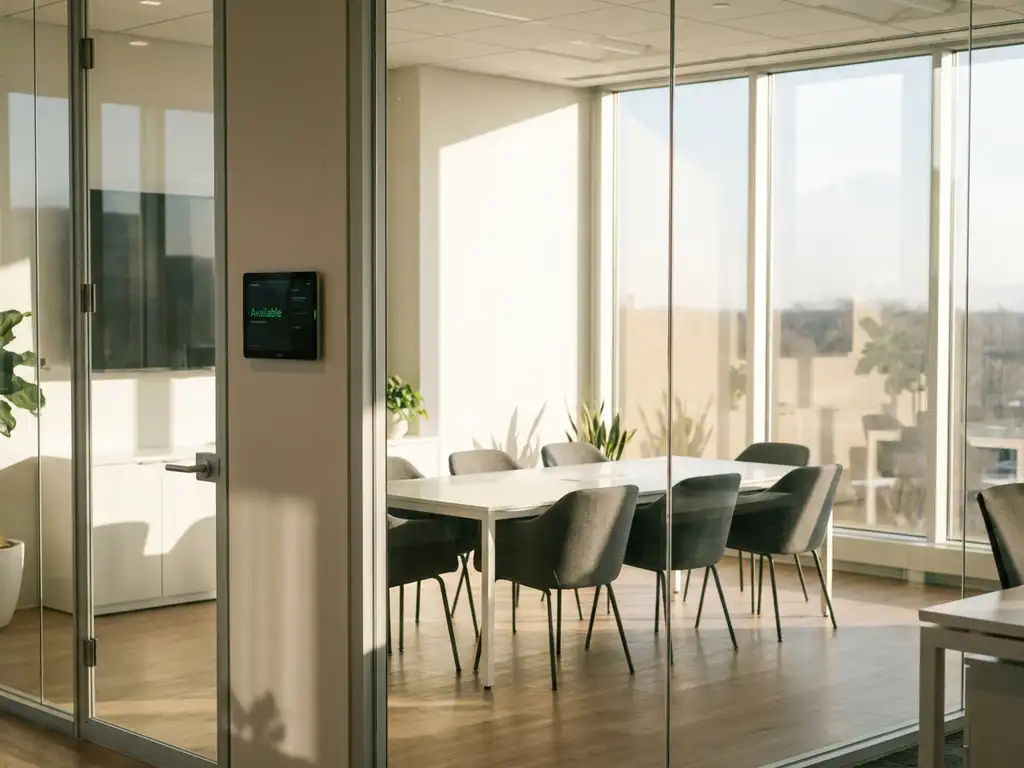
Real-time room availability provides instant, accurate information about meeting room status, preventing double bookings and scheduling conflicts by showing live occupancy data through smart sensors and booking platforms. When employees can see which rooms are actually free, occupied, or about to become available, they avoid the frustration of arriving at supposedly booked spaces only to find them empty or occupied by unscheduled meetings.
Why are phantom bookings wasting your meeting rooms and employee time?
Phantom bookings occur when meeting rooms remain reserved but unused, creating a cascade of problems throughout your office. These ghost reservations tie up valuable spaces while employees scramble to find alternatives, often settling for unsuitable locations or delaying important discussions. The real cost extends beyond wasted square footage. When teams can’t meet efficiently, project timelines stretch, decision-making slows, and employee frustration builds as they spend precious minutes hunting for available spaces instead of focusing on productive work.
Smart room booking systems with occupancy sensors eliminate phantom bookings by automatically releasing unused reservations. When sensors detect that a booked room remains empty after a grace period, the system frees the space for others to use, ensuring maximum utilization of your meeting facilities.
How is outdated room status information sabotaging your meeting productivity?
Static booking systems that don’t reflect real-time changes create a domino effect of meeting disruptions. Employees arrive at rooms that appear available in the system but are actually occupied by extended meetings or informal gatherings. This forces last-minute relocations, interrupts ongoing discussions, and wastes the preparation time invested in setting up presentations or materials for specific room configurations. The productivity loss multiplies when multiple team members must coordinate new locations and restart their setup process.
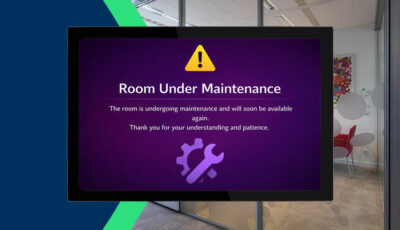
Real-time status indicators solve this by providing live updates through digital displays and mobile apps. When meeting rooms have sensors and interactive displays showing current occupancy, employees can instantly identify truly available spaces and make informed decisions about where to hold their discussions.
What is real-time room availability and how does it work?
Real-time room availability is a smart office system that provides instant, accurate information about meeting room occupancy status through connected sensors, interactive displays, and integrated booking platforms. The technology combines occupancy sensors with booking software to track whether rooms are actually being used, not just reserved.
The system works through multiple data points that work together seamlessly. Occupancy sensors detect movement and presence within meeting rooms, while booking platforms track scheduled reservations through calendar integrations with Microsoft Outlook, Google Workspace, and other enterprise systems. Interactive displays mounted outside each room show current status with clear visual indicators for available, occupied, or soon-to-be-available spaces.
When someone books a room through the platform, the reservation appears immediately across all connected devices and displays. If the room remains unused after a preset grace period, sensors communicate with the booking system to automatically release the reservation, making the space available for others. This creates a dynamic, self-updating ecosystem that reflects actual room usage rather than just scheduled intentions.
Why do meeting conflicts happen with traditional room booking?
Traditional room booking systems rely on static reservations without real-time verification, creating multiple opportunities for conflicts and inefficiencies. The primary issue stems from the disconnect between what’s scheduled and what’s actually happening in physical spaces.
Double bookings occur when employees make reservations through different systems or platforms that don’t communicate with each other. Someone might book through Outlook while another person reserves the same room through a separate facility management system, leading to conflicts that only surface when both parties arrive for their meetings.
No-show reservations compound the problem significantly. Studies show that up to 30% of booked meeting rooms go unused, but traditional systems have no mechanism to detect or respond to these phantom bookings. The rooms remain locked in the system while teams desperately search for available spaces, creating artificial scarcity in offices that actually have sufficient meeting facilities.
Manual status updates create additional friction and delays. When meetings run over or end early, there’s no automatic way to communicate these changes to other potential users. Employees must rely on outdated information or physically walk around checking rooms, wasting time and creating uncertainty about space availability.
How does real-time availability prevent double bookings?
Real-time availability systems prevent double bookings through centralized data management and instant synchronization across all booking channels and devices. When all reservation requests flow through a unified platform with live occupancy data, conflicts become virtually impossible.
The system maintains a single source of truth that updates automatically across all access points. Whether someone books through Microsoft Teams, the mobile app, or an interactive display outside the room, the reservation appears immediately in all connected systems. This eliminates the data silos that cause traditional double booking problems.
Sensor integration adds an extra layer of verification by confirming actual room usage. If someone attempts to book a room that appears available in the system but is actually occupied by an unscheduled meeting, the sensors prevent the booking and suggest alternative spaces. This real-time validation ensures that reservations align with physical reality.
Buffer time management helps prevent cascading conflicts when meetings run over schedule. The system can automatically add buffer periods between bookings and send notifications when previous meetings are approaching their end time, giving attendees time to wrap up and transition out before the next group arrives.
What happens when someone doesn’t show up for their meeting?
Smart room booking systems with real-time availability automatically detect and respond to no-show situations through sensor-driven release mechanisms and progressive notification systems. This transforms unused reservations from productivity roadblocks into available opportunities for other teams.
The system typically implements a grace period of 10-15 minutes after the scheduled meeting start time. If occupancy sensors detect no activity in the room during this window, the platform sends automated notifications to the original booker asking if they still need the space. This gives legitimate users a chance to confirm their reservation if they’re running slightly late.
When there’s no response to the notification, the system automatically releases the reservation and updates all connected displays and booking platforms to show the room as available. Other employees can then book the space immediately through their preferred interface, whether that’s the mobile app, web portal, or interactive room display.
The released time slots become instantly bookable for the remaining duration, not just future time periods. This means a room originally booked from 2:00-3:00 PM but released at 2:15 PM becomes available from 2:15-3:00 PM, maximizing the utility of every available minute. Advanced systems can even suggest these newly available slots to users who have been searching for meeting spaces.
How much can real-time room availability improve meeting efficiency?
Real-time room availability systems can improve meeting efficiency by 25-40% through reduced search time, eliminated conflicts, and optimized space utilization. The efficiency gains compound across multiple areas of workplace productivity and employee satisfaction.
Time savings represent the most immediate and measurable benefit. Employees typically spend 8-12 minutes searching for available meeting spaces in traditional office environments. Real-time systems reduce this to under 2 minutes by providing accurate, instant information about room availability through mobile apps and digital displays. For organizations with frequent meetings, this time savings translates to hours of recovered productivity each week.
Space utilization improvements often reach 30-35% as phantom bookings disappear and rooms return to circulation quickly. When sensors automatically release unused reservations, meeting room capacity effectively increases without adding physical space. This improved utilization can delay or eliminate the need for expensive office expansions.
Meeting quality improves when teams can focus on content rather than logistics. With reliable room availability information, employees arrive confident in their reservations and can dedicate their mental energy to productive discussions rather than backup planning and space coordination. This leads to more focused meetings, better decision-making, and reduced stress around facility management.
The cumulative effect creates a positive feedback loop where improved efficiency encourages more effective meeting practices, leading to better collaboration and stronger workplace culture. Organizations implementing comprehensive real-time availability systems often report improved employee satisfaction scores and reduced facility-related complaints within the first quarter of deployment.
How GoBright helps with real-time room availability
GoBright provides a comprehensive solution for real-time room availability that eliminates meeting conflicts and maximizes space utilization through integrated smart office technology. Our platform delivers the instant, accurate information your organization needs to transform meeting room management from a daily frustration into a seamless experience.
Our solution includes:
- Occupancy sensors that detect actual room usage and automatically release unused reservations
- Interactive displays outside each room showing real-time availability status with clear visual indicators
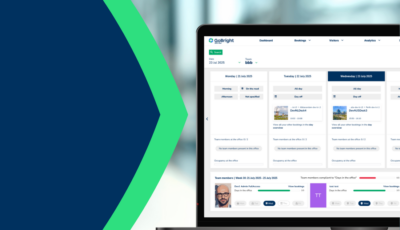
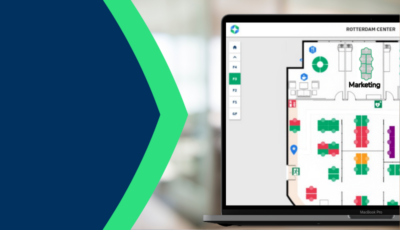
- Mobile and web applications that provide instant booking capabilities and live room status updates
- Calendar integrations with Microsoft Outlook, Google Workspace, and other enterprise platforms for unified booking management
- Automated notifications for no-shows, meeting extensions, and room availability alerts
- Analytics dashboard to track space utilization and optimize your meeting room portfolio
Ready to eliminate phantom bookings and improve your meeting efficiency by up to 40%? Contact GoBright today for a personalized consultation and discover how our real-time room availability solution can transform your workplace productivity.