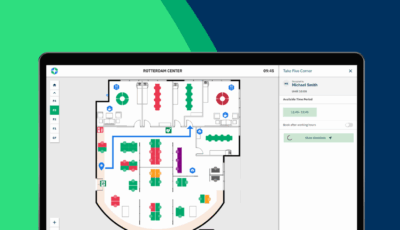
Smart office monitoring comes in two distinct forms: passive monitoring, which tracks workspace usage through sensors and analytics without direct user interaction, and active monitoring, which requires employees to check in, update their status, or interact with [smart office](https://gobright.com/solutions/smart-office/) systems. The key difference lies in whether the system operates independently in the background or depends on deliberate user actions to gather data and provide insights.
Why is inaccurate occupancy data costing you thousands in wasted office space?
When your workplace monitoring relies solely on booking systems without real occupancy verification, you’re likely paying for significantly more office space than you actually need. Many organizations discover that their meeting rooms sit empty 30-40% of the time despite being booked, while desk reservations often go unused without any record of actual occupancy. This disconnect between bookings and reality means you’re making costly real estate decisions based on inflated usage data, potentially maintaining expensive floor space that delivers no value to your business or employees.
Implementing sensor-based occupancy monitoring reveals the true utilization patterns of your workspace. By combining booking data with actual presence detection, you can identify which areas are genuinely productive and which represent opportunities for space optimization or reallocation to better serve your hybrid workforce.
What does poor employee experience signal about your smart office setup?
When employees consistently struggle to find available workspaces, experience technical issues with room bookings, or feel frustrated by outdated status displays, it often indicates your monitoring system lacks real-time responsiveness and user-friendly interfaces. These friction points don’t just annoy your team, they actively undermine productivity and workplace satisfaction, leading to decreased engagement and higher turnover rates as employees seek more seamless work environments elsewhere.
Transitioning to integrated active monitoring systems with touchscreen interfaces and mobile app connectivity transforms these pain points into smooth, intuitive experiences. Real-time status updates, easy booking modifications, and immediate feedback loops create a workplace that adapts to employee needs rather than forcing them to work around system limitations.
What Is Passive Smart Office Monitoring?
Passive smart office monitoring operates through sensors and automated systems that track workspace usage without requiring any action from employees. These systems use occupancy sensors, motion detectors, and environmental monitoring devices to continuously gather data about how spaces are being used throughout the day.
The technology works silently in the background, detecting when someone enters a meeting room, sits at a desk, or moves through common areas. Smart office sensors can monitor everything from basic occupancy patterns to detailed environmental conditions like temperature, humidity, and air quality. This data is automatically collected and analyzed to provide facility managers with comprehensive insights into actual space utilization versus planned usage.
Passive monitoring excels at revealing the true story behind your workplace analytics. For instance, you might discover that certain meeting rooms are booked solid but actually sit empty for hours, or that popular collaboration areas are being used far beyond their intended capacity. This type of monitoring is particularly valuable for understanding long-term trends and making data-driven decisions about office layout optimization and space planning.
What Is Active Smart Office Monitoring?
Active smart office monitoring requires deliberate employee participation to function effectively. This approach relies on users checking in at desks, updating their status through mobile apps, or interacting with touchscreen devices to indicate their presence and workspace needs.
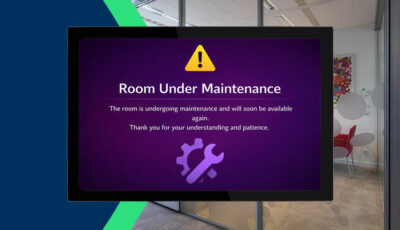
Our [products](https://gobright.com/products/) exemplify active monitoring by providing interactive touchscreens at both desks and meeting rooms. Employees can book spaces, extend reservations, activate “Do Not Disturb” modes, and even report issues directly through the interface. The system responds immediately to these interactions, updating availability across the entire platform and triggering connected services like lighting and AV equipment.
Active monitoring creates a dynamic feedback loop between employees and the workplace technology. When someone checks into a desk using our system, it can automatically power up their workstation through the Power Control Plug, adjust desk height settings to their preferences, and update colleague location information for easy collaboration. This approach transforms employees from passive space users into active participants in optimizing their work environment.
What’s the Difference Between Passive and Active Office Monitoring?
The fundamental difference lies in who drives the data collection process. Passive monitoring operates independently, using sensors to automatically detect and record workspace activity without any employee involvement. Active monitoring depends on deliberate user actions to generate accurate, real-time information about space usage and employee preferences.
From a data accuracy perspective, passive monitoring provides objective measurements but may miss important context about how spaces are actually being used. A sensor might detect that someone is in a meeting room, but it can’t determine if they’re conducting a focused work session, a collaborative brainstorm, or simply taking a phone call. Active monitoring captures this intent because employees actively select and communicate their workspace needs.
The user experience differs significantly between these approaches. Passive monitoring remains invisible to employees, requiring no learning curve or behavior change. However, this invisibility can sometimes lead to frustration when systems don’t respond to immediate needs. Active monitoring requires initial employee engagement but offers immediate benefits like personalized settings, real-time availability updates, and the ability to modify bookings on the fly.
Cost and implementation considerations also vary substantially. Passive systems typically require extensive sensor deployment throughout the facility, while active systems can start with strategic hardware placement at key interaction points. Our [integrations](https://gobright.com/integrations/) combine both methods, using occupancy sensors to enhance active monitoring data with objective verification of actual space usage.
Which Type of Smart Office Monitoring Is Better?
Neither passive nor active monitoring alone provides a complete picture of modern workplace dynamics. The most effective smart office implementations combine both approaches to leverage their complementary strengths while minimizing individual limitations.
Passive monitoring excels at providing unbiased, continuous data collection that reveals long-term usage patterns and identifies optimization opportunities. This data becomes invaluable for strategic decisions about space allocation, lease negotiations, and facility investments. However, passive systems struggle with the immediate responsiveness and personalization that today’s hybrid workforce expects.
Active monitoring delivers a superior user experience and real-time adaptability, allowing employees to actively shape their work environment while providing rich context about workspace preferences and usage patterns. The challenge lies in ensuring consistent employee engagement and preventing data gaps when users forget to check in or update their status.
Our integrated platform demonstrates how combining both approaches creates a more robust and user-friendly solution. Occupancy sensors validate booking accuracy and provide backup data when employees don’t actively check in, while interactive touchscreens and mobile apps offer immediate control and personalization options. This hybrid approach ensures comprehensive data collection while maintaining the flexibility and responsiveness that modern workplaces demand.
How Do You Implement Smart Office Monitoring Systems?
Successful smart office monitoring implementation begins with a clear assessment of your current workplace challenges and desired outcomes. Start by identifying the specific problems you’re trying to solve, whether that’s optimizing space utilization, improving employee experience, reducing energy costs, or supporting hybrid work policies.
The technical implementation should follow a phased approach that minimizes disruption while maximizing early wins. Begin with high-impact areas like popular meeting rooms or flexible desk zones where employees will immediately notice improvements. Our platform supports both WiFi and Power-over-Ethernet connectivity options, allowing flexible deployment that works with your existing infrastructure.
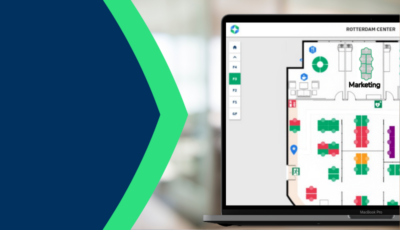
Employee adoption requires thoughtful change management and clear communication about benefits. Focus on how the technology solves real pain points rather than emphasizing the monitoring aspects. Features like the Find My Desk functionality that makes reserved workspaces glow, or automatic height adjustment memory, demonstrate immediate personal value that encourages ongoing engagement.
Data integration and analytics setup should connect your monitoring system with existing workplace tools and calendar systems. Our native integrations with Microsoft Teams, Outlook, and Google Workspace ensure that smart office data flows seamlessly into employees’ existing workflows, reducing friction and improving accuracy.
Long-term success depends on establishing clear governance around data usage, privacy protection, and continuous optimization. Regular analysis of occupancy patterns, user feedback, and system performance helps refine your approach and identify opportunities for expanding smart office capabilities to additional areas or use cases.
How GoBright helps with smart office monitoring
GoBright provides a comprehensive solution that seamlessly combines both passive and active monitoring approaches to deliver complete workspace intelligence. Our integrated platform addresses the common challenges of inaccurate occupancy data and poor employee experience by offering:
• Interactive touchscreens that provide real-time room and desk booking with immediate feedback
• Occupancy sensors that validate actual space usage and provide objective utilization data
• Mobile app connectivity that allows employees to manage their workspace preferences remotely
• Automated integrations with Microsoft Teams, Outlook, and Google Workspace for seamless workflow integration
• Power management features that optimize energy consumption based on actual occupancy patterns
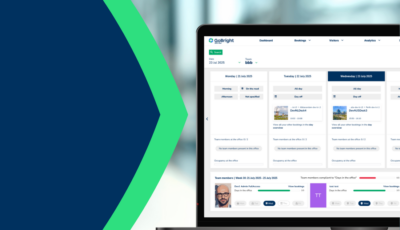
• Comprehensive analytics dashboards that combine booking data with real usage metrics
Transform your workplace into a truly smart office environment that maximizes space efficiency while enhancing employee satisfaction. [Contact us](https://gobright.com/contact-gobright/) to discuss your specific requirements and discover how our monitoring solutions can optimize your workspace today.