Hybrid working is here to stay. Most organisations now let employees split their time between the office and home. But flexibility brings a new challenge: how do you make sure teams meet their in-office commitments?
Most organisations set clear policies on office days. Communicating expectations is one thing. Tracking progress is another. Without the right tools, managers end up guessing. Data-driven conversations become hard to have.
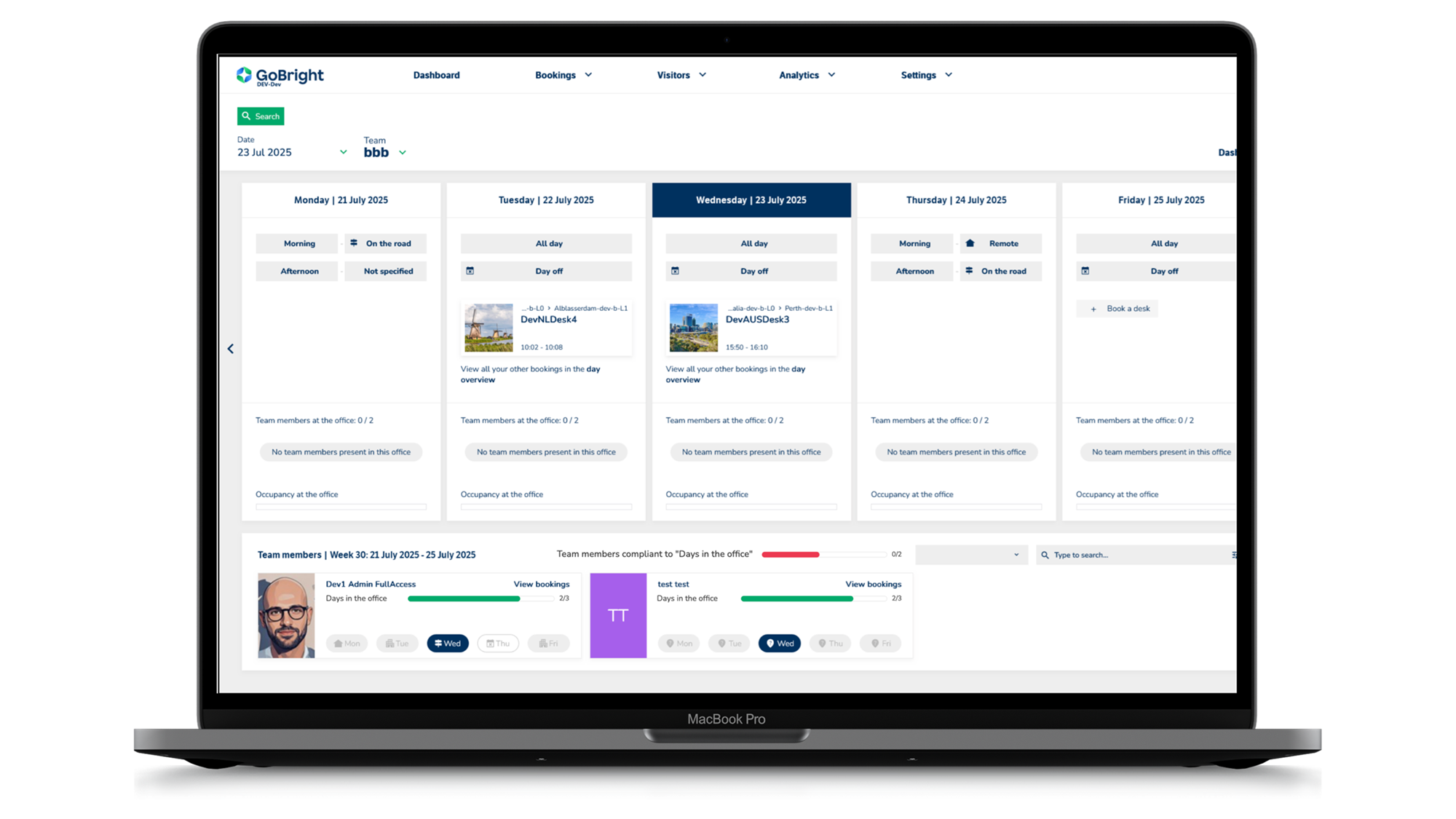
That’s why GoBright added a powerful new layer to the GoBright Week Planner: Amount of Days in the Office. Clear insight into office attendance — right where your team plans their week.
How Does Amount of Days in the Office Work?
Amount of Days in the Office sits directly inside GoBright’s Week Planner. Your employees already use it to plan and share their working week.
As an admin, you preset a target number of office days per week for each department. The Week Planner then tracks each employee’s progress towards that target automatically. Both the employee and their manager get a clear, real-time view. No desk booking? No problem. Spent the day in back-to-back meeting rooms? GoBright still counts you in. The system captures your presence — without you having to do anything extra.
Managers always know where their team stands. No chasing. No manual checks. Just clear data, ready to act on.
Why Do You Need Amount of Days in the Office?
Flexible working policies only work when people follow them — and when managers have the insight to support their teams.
Without a dedicated tool, tracking office attendance is manual and time-consuming. Spreadsheets and ad-hoc calendar checks don’t scale. They’re especially painful across larger organisations or departments with different requirements.
Amount of Days in the Office makes attendance targets visible and measurable. It lives inside the platform your teams already use. Pair it with GoBright’s Hybrid Working solutions and GoBright Analytics, and you get a complete picture of how your office is performing.
Facility manager? Use the data to optimise workspace occupancy. Team lead? Use it to support your people and have honest, informed conversations. Either way, you get the insight you need — without the admin overhead.
Want to Know More?
Discover how Amount of Days in the Office will help your managers lead with data and support a smarter hybrid working environment. Our Smart Workplace Experts can show you the feature in action and help you get started.