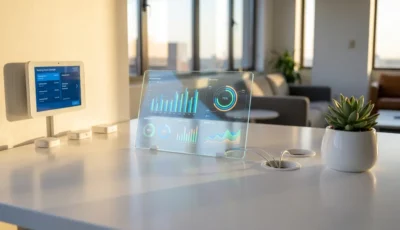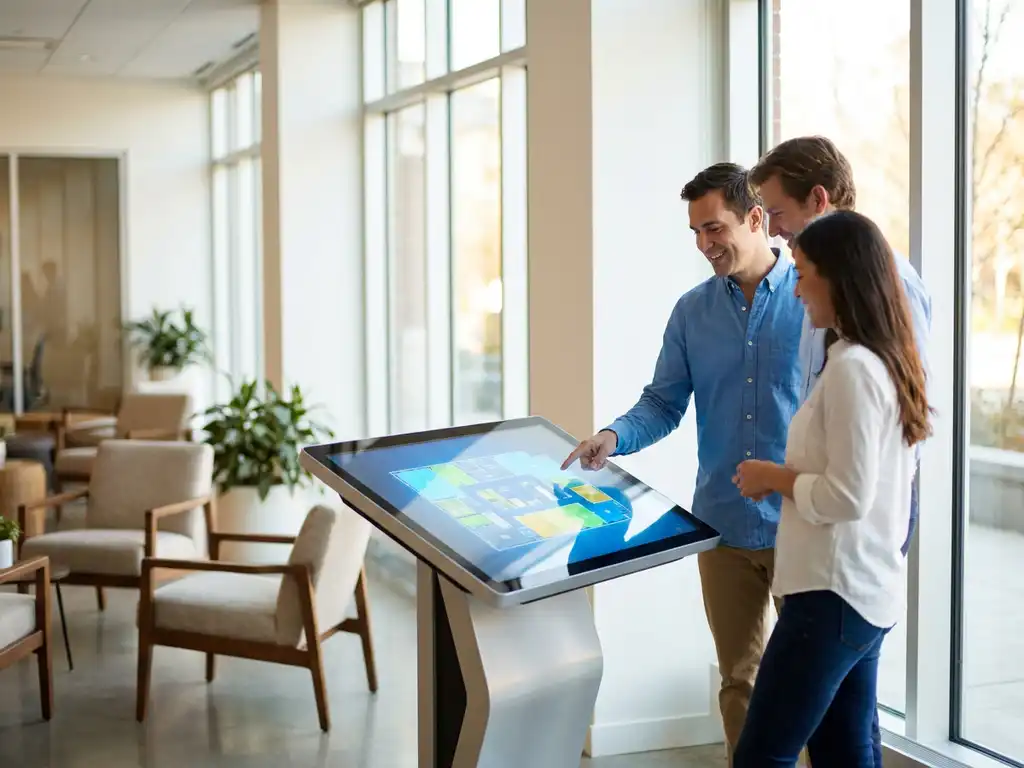
Interactive office maps transform workplace culture by making office environments more navigable, inclusive, and collaborative. These digital wayfinding tools reduce navigation stress, help colleagues connect more easily, and create welcoming experiences for all employees. Modern workplaces benefit from interactive mapping through improved team interactions, reduced workplace frustration, and stronger inclusive practices that support hybrid work environments.
What are interactive office maps and how do they work?
Interactive office maps are digital navigation systems that display real-time office layouts, available spaces, and colleague locations through touchscreen displays or mobile applications. They integrate with workplace management platforms to show live booking information, desk availability, and meeting room status across your entire office environment.
These systems work by connecting to your existing calendar platforms, such as Microsoft Outlook or Google Workspace, automatically updating space availability as bookings change throughout the day. Employees can search for specific colleagues, locate available meeting rooms, or find quiet work areas directly from the interactive display or their mobile device.
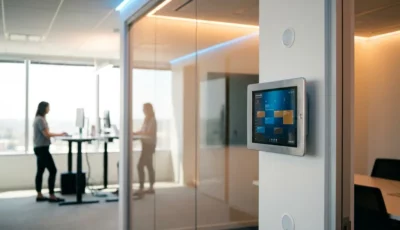
The technology typically includes wall-mounted touchscreens at building entrances and key locations, plus mobile apps that provide the same navigation capabilities on personal devices. Integration with access control systems means the maps can show which colleagues are actually in the office, making it easier to plan spontaneous meetings or collaborative sessions.
You’ll find these maps particularly useful in activity-based working environments where people don’t have assigned desks. The system updates automatically, so you always see current information without manual updates or outdated floor plans.
Why do employees struggle with office navigation in modern workplaces?
Employees struggle with office navigation because modern workplaces have shifted from fixed desk assignments to flexible, activity-based working environments where spaces and colleagues move frequently. Hot-desking arrangements mean people work in different locations daily, making it difficult to find teammates or suitable workspaces without wandering around the office.
Meeting room confusion creates significant productivity losses when employees spend valuable time searching for booked spaces or discovering rooms are occupied despite appearing available in booking systems. Large office buildings with multiple floors compound this problem, especially for new employees who haven’t memorized complex layouts.
Hybrid work schedules add another layer of complexity because you never know which colleagues are physically in the office on any given day. This uncertainty makes it challenging to plan collaborative work or impromptu discussions that drive innovation and team building.
Visitor management becomes problematic when guests can’t easily find their way to meetings or locate the people they’re visiting. This creates poor first impressions and wastes time for both visitors and hosts, who must provide detailed directions or escort people personally.
How do interactive maps reduce workplace stress and frustration?
Interactive maps reduce workplace stress by providing instant, accurate information about space availability and colleague locations, removing the guesswork and time waste associated with searching for people or places. Employees feel more confident navigating the office when they have reliable digital guidance at their fingertips.
The frustration of arriving at a supposedly available meeting room only to find it occupied disappears when interactive maps show real-time booking status. You can see which spaces are genuinely free and book them immediately, preventing scheduling conflicts and last-minute scrambles for alternative locations.
New employees experience significantly less anxiety about office navigation when they have access to interactive wayfinding tools. Instead of feeling lost or hesitant to explore different areas, they can confidently move around the workplace and find the resources they need without repeatedly asking colleagues for directions.
Time pressure decreases considerably when you can quickly locate available desks in your preferred working-style area, whether that’s a quiet zone for focused work or a collaborative space for team activities. This efficiency allows you to spend more time on productive work rather than workplace logistics.
What impact do interactive office maps have on team collaboration?
Interactive office maps significantly enhance team collaboration by making it effortless to locate colleagues and find appropriate spaces for impromptu discussions or planned meetings. When you can quickly see where teammates are working, spontaneous collaboration becomes natural rather than requiring extensive coordination.
Meeting efficiency improves dramatically when everyone can easily find the right room at the right time. Interactive maps eliminate the common scenario where meetings start late because participants are searching for the location or dealing with double-booked spaces. Teams can focus on productive discussions rather than logistics.
Cross-departmental collaboration flourishes when interactive maps help employees discover colleagues from other teams who might be working nearby. This visibility encourages knowledge sharing and relationship building that might not happen in traditional siloed office arrangements.
Hybrid work coordination becomes much smoother when teams can see which members are physically present in the office. You can plan in-person collaboration sessions more effectively and make better decisions about when to come into the office based on teammate availability.
Project teams benefit from being able to quickly establish temporary collaboration zones by finding and booking adjacent desks or nearby meeting spaces. This flexibility supports agile working methods and helps maintain team momentum during intensive project phases.
How do interactive maps support inclusive workplace culture?
Interactive maps create more inclusive workplaces by providing accessible navigation support that helps all employees feel confident and welcome, regardless of their familiarity with the office layout or physical abilities. Digital wayfinding removes barriers that might prevent some people from fully participating in office life.
New employees integrate more quickly into the workplace culture when they have tools that help them navigate independently. Instead of feeling dependent on others for basic navigation, they can explore the office confidently and engage more naturally with colleagues they encounter.
Accessibility features in interactive mapping systems support employees with different needs, including visual indicators, audio guidance, and clear pathway information. These tools ensure that everyone can navigate the workplace effectively, promoting equal participation in office activities and meetings.
Visitors and temporary workers feel more welcomed when they can easily find their way around without constantly asking for help. This positive first impression reflects well on your workplace culture and demonstrates consideration for people who aren’t familiar with your environment.
Remote employees transitioning back to office work benefit enormously from interactive maps that help them reacquaint themselves with spaces and locate colleagues they may only know virtually. This smooth transition supports successful hybrid work adoption and maintains team connections across different working arrangements.
How GoBright helps with interactive office mapping
GoBright provides comprehensive interactive office mapping solutions that transform your workplace navigation and collaboration experiences. Our platform delivers real-time space intelligence that eliminates the guesswork from finding colleagues and available workspaces in modern hybrid environments.
Our interactive mapping system offers concrete benefits for your organization:
- Real-time colleague location tracking – See which teammates are in the office and where they’re working
- Live space availability updates – Find and book meeting rooms, desks, and collaboration areas instantly
- Seamless calendar integration – Automatic synchronization with Microsoft Outlook and Google Workspace
- Mobile and touchscreen access – Navigate through wall-mounted displays or personal devices
- Visitor wayfinding support – Guide guests directly to their destinations with clear digital directions
- Accessibility features – Inclusive navigation tools that support all employees
Ready to transform your workplace culture with intelligent interactive mapping? Contact GoBright today to discover how our solutions can enhance collaboration, reduce navigation stress, and create a more inclusive office environment for your team.