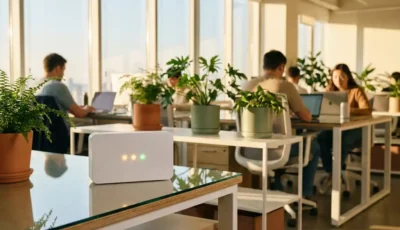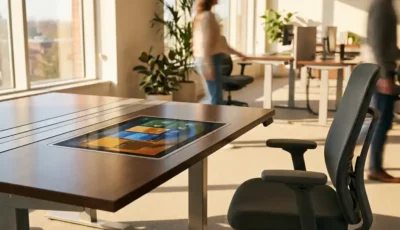
Team booking features are collaborative workspace reservation tools that allow groups of colleagues to reserve desks, meeting rooms, and other office spaces together in a single booking. These features coordinate seating arrangements, ensure team proximity, and manage group workspace needs in hybrid work environments. They solve the challenge of scattered team members by enabling coordinated in-person collaboration days.
What are team booking features in workplace management systems?
Team booking features are digital tools that enable groups of employees to reserve multiple workspaces simultaneously through a single reservation process. These systems allow team leaders or members to book adjacent desks, nearby meeting rooms, and collaborative spaces for their entire group, ensuring everyone can work together when they’re in the office.
The core functionality revolves around group coordination capabilities that standard individual booking systems can’t provide. When you use team booking, the system automatically searches for available spaces that can accommodate your entire group in close proximity. This might mean finding a cluster of desks in the same area, booking a combination of individual workspaces and a nearby meeting room, or reserving an entire collaborative zone.
Modern team booking systems integrate with your existing calendar applications and employee directories. You can select team members from your contact list, and the system will check their schedules and workspace preferences before confirming the group reservation. This prevents double bookings and ensures all team members are available for the planned in-office day.
These features also handle the complexity of mixed workspace needs. Your team might need some individual desks for focused work, a meeting room for discussions, and access to specialized equipment. Team booking coordinates all these requirements in one streamlined process, rather than forcing you to make multiple separate reservations.
How do team booking features help with hybrid work coordination?
Team booking features address the coordination challenges that arise when team members work flexible schedules by synchronizing in-person collaboration days. They help teams align their office schedules, secure appropriate workspace configurations, and maintain productivity when working together face-to-face in hybrid work environments.
The primary benefit lies in schedule alignment automation. When team members work different hybrid schedules, coordinating in-person days becomes complex. Team booking features solve this by showing team availability across multiple days, suggesting optimal collaboration windows, and automatically sending calendar invitations once spaces are reserved.
Proximity management is another important function. These systems ensure team members aren’t scattered across different floors or buildings when they need to collaborate. The booking algorithm prioritizes workspace clusters, adjacent desks, and nearby meeting rooms. This proximity reduces time wasted walking between locations and creates natural opportunities for spontaneous collaboration.
Team booking also supports the workplace culture that many organizations want to maintain in hybrid environments. When teams can easily coordinate their office days, they’re more likely to maintain strong working relationships and collaborative momentum. The features often include messaging capabilities that let team members communicate about their shared workspace plans.
Meeting room coordination becomes seamless when integrated with team desk bookings. The system can automatically suggest and reserve appropriate meeting spaces based on your team size and booked collaboration time. This ensures you have dedicated spaces for both individual work and group discussions during your coordinated office days.
What’s the difference between individual desk booking and team booking?
Individual desk booking focuses on single-user workspace reservations with personal preferences and availability, while team booking coordinates multiple related reservations with proximity requirements and group scheduling considerations. Team booking adds collaborative planning layers that individual systems don’t provide.
The booking process differs significantly between the two approaches. Individual booking typically involves selecting your preferred desk type, location, and date from available options. You’re making decisions based on personal work needs and schedule preferences. Team booking requires group coordination, considering multiple schedules, workspace proximity, and collaborative space requirements simultaneously.
Notification and communication features vary considerably. Individual booking systems send confirmations and reminders to single users. Team booking systems coordinate communications across multiple team members, sending group updates, shared calendar invitations, and collaborative workspace details to everyone involved in the booking.
Flexibility and modification options work differently for each approach. Individual bookings can be changed or canceled by single users without affecting others. Team bookings require more sophisticated change management because modifications impact multiple people’s schedules and workspace arrangements. Some systems allow designated team leaders to make changes, while others require group consensus.
Reporting and analytics serve different purposes. Individual booking data focuses on personal usage patterns, preferred workspace types, and individual attendance tracking. Team booking analytics provide insights into collaboration patterns, team productivity metrics, and group workspace utilization that help inform office design and policy decisions.
How do you set up effective team booking policies for your office?
Effective team booking policies require clear advance booking windows, reasonable cancellation terms, appropriate team size limits, and integrations guidelines that work with your existing workplace management processes. These policies should balance flexibility for teams with fair access to limited office resources.
Advance booking windows need to accommodate both planning requirements and spontaneous collaboration needs. Most organizations find success with booking windows between 1–4 weeks in advance, allowing teams to plan collaboration days while preventing excessive space hoarding. Consider implementing different windows for different team sizes or workspace types.
Cancellation policies should encourage responsible booking behavior without penalizing legitimate changes. Establish clear timeframes for penalty-free cancellations, such as 24–48 hours before the booked date. Include provisions for emergency cancellations and consider implementing gentle consequences for repeated last-minute cancellations that waste valuable office space.
Team size limits help manage resource allocation and ensure fair access across your organization. Define maximum team sizes for different workspace areas and booking durations. You might allow larger teams for shorter periods or require special approval for extensive group bookings that consume significant office capacity.
Integration with existing processes ensures team booking doesn’t disrupt established workflows. Connect team booking policies with your calendar systems, attendance tracking, and workplace safety requirements. Establish clear protocols for how team bookings interact with individual reservations, visitor management, and facility maintenance schedules.
Regular policy review keeps your team booking system effective as work patterns evolve. Schedule quarterly assessments of booking patterns, space utilization, and user feedback. Adjust policies based on actual usage data rather than assumptions about how teams want to work together.
What features should you look for in team booking software?
Important team booking software capabilities include seamless calendar integration, mobile accessibility, comprehensive reporting tools, and compatibility with existing workplace technology systems. Look for products that handle group scheduling complexity while maintaining user-friendly interfaces for everyday booking tasks.
Calendar integration should work bidirectionally with your organization’s primary scheduling systems. The software should automatically block time in team members’ calendars when bookings are confirmed and check for scheduling conflicts before allowing reservations. Native integration with Microsoft Teams, Outlook, and Google Workspace eliminates double-booking issues and ensures team booking fits naturally into existing workflows.
Mobile access is important for teams that make booking decisions while away from their desks. Look for responsive mobile interfaces or dedicated apps that allow full booking functionality, modification capabilities, and real-time notifications. Mobile access should include features like QR code check-ins and location-based workspace finding.
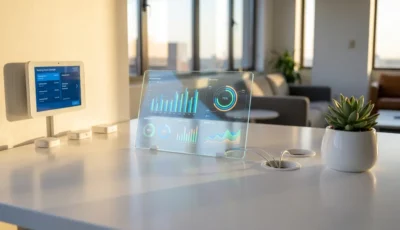
Reporting and analytics capabilities help you understand team collaboration patterns and optimize your office space allocation. Effective software provides insights into team booking frequency, popular collaboration times, space utilization rates, and booking success patterns. These analytics inform decisions about office layout, capacity planning, and policy adjustments.
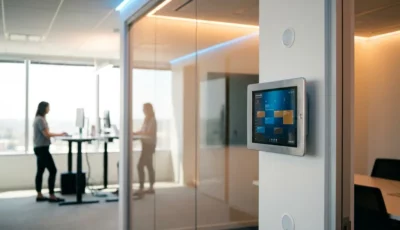
Compatibility with existing workplace technology ensures smooth implementation and ongoing operation. Your team booking software should integrate with door access systems, room display panels, visitor management platforms, and facility management tools. This integration creates a cohesive workplace technology ecosystem that supports rather than complicates daily operations.
User permission and administrative controls allow you to implement your team booking policies effectively. Look for granular permission settings, approval workflows for large bookings, and administrative override capabilities that help you manage special situations while maintaining fair access to office resources.
How GoBright helps with team booking coordination
GoBright provides a comprehensive team booking solution that streamlines group workspace coordination and eliminates the complexity of managing multiple individual reservations. Our platform addresses the specific challenges organizations face when implementing effective team collaboration in hybrid work environments.
Our solution offers several key benefits for your team booking needs:
- Intelligent proximity algorithms that automatically find and reserve adjacent workspaces for your entire team
- Seamless calendar integration with Microsoft Teams, Outlook, and Google Workspace to prevent scheduling conflicts
- Mobile-first design that allows team leaders to make group bookings and modifications from anywhere
- Advanced analytics dashboard providing insights into team collaboration patterns and space utilization
- Flexible policy management tools that enforce your organization’s booking rules while maintaining user-friendly experiences
- Real-time notifications that keep all team members informed about booking confirmations, changes, and reminders
Ready to transform how your teams coordinate their in-office collaboration days? Contact GoBright today to schedule a personalized demo and discover how our team booking features can enhance your hybrid workplace strategy.