Real-time desk availability transforms team collaboration by providing instant visibility into workspace occupancy, enabling spontaneous interactions and coordinated project work. When team members can see where colleagues are located and when spaces become available, it removes barriers to face-to-face communication and improves workflow coordination in hybrid work environments.
What does real-time desk availability actually mean for team collaboration?
Real-time desk availability means team members can instantly see which workspaces are occupied, available, or reserved at any moment. This visibility directly impacts collaboration by enabling spontaneous meetings, coordinated workspace planning, and improved project workflows when teams work in hybrid environments.
When you have access to live workspace data, you can make informed decisions about where to sit based on your work needs and team interactions. If you’re working on a project that requires frequent collaboration, you can choose a desk near your teammates or book adjacent spaces for the day.
This transparency eliminates the guesswork from workspace planning. Instead of wandering around the office looking for colleagues or available spaces, you can coordinate your physical presence with your team’s schedule. The result is more intentional collaboration and better use of office time.
Real-time availability also supports different types of work. When you need focused time, you can identify quieter areas. When collaboration is the priority, you can position yourself strategically near team members or in areas designed for interaction.
How does knowing where your teammates sit change the way you work together?
Knowing your teammates’ locations increases spontaneous interactions and improves project coordination. When you can see where colleagues are sitting, you’re more likely to approach them for quick discussions, informal brainstorming sessions, and immediate problem-solving rather than defaulting to digital communication.
This visibility changes workplace culture by encouraging more natural collaboration patterns. You might notice a colleague working nearby and realize it’s the perfect opportunity to discuss a shared project or get quick feedback on an idea. These interactions often lead to better outcomes than scheduled meetings or lengthy email exchanges.
The ability to locate teammates also reduces communication delays. Instead of sending a message and waiting for a response, you can walk over for an immediate conversation. This is particularly valuable for complex topics that benefit from face-to-face discussion or when you need to share visual materials.
Teams often develop new collaboration rhythms when they can coordinate their physical presence. You might plan to work in the office on the same days as key project partners or choose complementary spaces that support your working relationship. This intentional coordination strengthens team bonds and improves project outcomes.
What happens to team productivity when desk booking becomes transparent?
Transparent desk booking improves team productivity by reducing time spent searching for colleagues, enabling better meeting coordination, and allowing strategic workspace allocation. Teams can plan their office days more effectively and make informed decisions about when and where to work.
When booking information is visible to the team, you can coordinate your schedules to maximize collaborative opportunities. If you know three team members will be in the office on Tuesday, you might adjust your schedule to join them for important project work or team meetings.
This transparency also improves resource allocation within teams. You can identify patterns in workspace usage and adjust your booking strategies accordingly. Popular collaboration areas might require earlier booking, while quieter spaces for focused work might be more readily available.
The visibility helps teams develop more effective hybrid work patterns. You can balance collaborative office days with focused remote work time, ensuring that your physical presence in the office serves a clear purpose and contributes to team goals.
Meeting coordination becomes more efficient when you can see who will be in the office and plan face-to-face discussions accordingly. This reduces the need for video calls when team members are physically present and makes better use of everyone’s time.
Why do some teams struggle with collaboration even with desk booking systems?
Teams struggle with collaboration despite having desk booking systems due to poor adoption habits, inadequate system integration, lack of team protocols, and insufficient training. Technology alone doesn’t change collaboration patterns without proper implementation and team commitment to new ways of working.
Many teams fail to establish clear protocols for using booking systems collaboratively. Without agreed-upon practices for coordinating schedules or communicating workspace plans, the system becomes just an administrative tool rather than a collaboration enabler.
Poor integrations with existing communication tools creates friction in team workflows. If the booking system doesn’t connect with calendar applications or team messaging platforms, it becomes an isolated tool that team members forget to check or update regularly.
Insufficient training often leaves team members using only basic booking features without understanding how to leverage the system for collaboration. They might book desks individually without considering team coordination opportunities or workspace strategies that support their collective work.
Resistance to change also plays a role in implementation challenges. Some team members prefer familiar communication patterns and may be reluctant to incorporate workspace visibility into their collaboration approach. Without leadership support and a clear demonstration of benefits, adoption remains inconsistent.
Misalignment between technology capabilities and actual team workflows creates gaps in effectiveness. If the booking system doesn’t match how your team naturally collaborates or fails to support your specific project requirements, it won’t improve collaboration outcomes.
How can teams maximise collaboration benefits from real-time workspace visibility?
Teams maximise collaboration benefits by establishing clear booking protocols, leveraging system integrations, creating designated collaboration zones, and developing consistent hybrid work rhythms. Success requires intentional planning and team commitment to using workspace visibility strategically.
Develop team agreements about workspace coordination that go beyond individual booking preferences. This might include booking adjacent desks for project work, coordinating office days for important collaboration, or establishing protocols for last-minute workspace changes that affect team coordination.
Take advantage of integration features that connect workspace booking with your existing communication tools. When booking information flows into team calendars or messaging platforms, it becomes part of your natural workflow rather than an additional system to manage separately.
Designate specific areas or booking strategies for different types of collaboration. You might reserve certain zones for team project work, identify spaces that work well for client meetings, or establish quiet areas for focused work that requires occasional consultation with colleagues.
Create predictable patterns that help team members plan their collaboration more effectively. This might involve establishing regular office days for core team members, scheduling recurring project sessions in collaborative spaces, or developing rotation systems that ensure adequate coverage while supporting individual work preferences.
Regular team reviews of workspace usage and collaboration patterns help optimise your approach over time. Discuss what’s working well, identify missed opportunities for collaboration, and adjust your booking strategies based on actual team needs and project requirements.
How GoBright helps with real-time desk availability and team collaboration
GoBright provides comprehensive workspace management solutions that enable real-time visibility into desk availability while supporting seamless team collaboration through integrated booking systems and smart office technology.
Our platform addresses the key challenges teams face when coordinating workspace usage by offering:
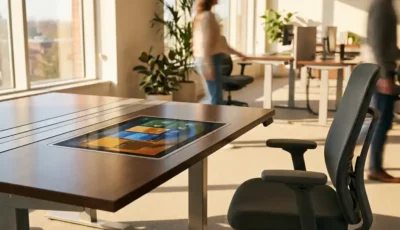
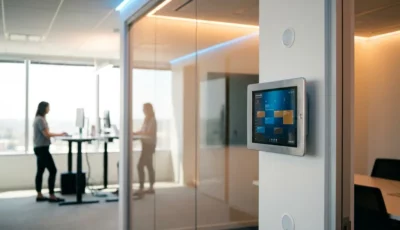
- Real-time desk availability displays that show instant workspace occupancy across your entire office
- Integrated booking systems that connect with existing calendar applications and communication tools
- Team coordination features that enable collaborative workspace planning and adjacent desk reservations
- Smart office integrations that provide comprehensive visibility into workspace usage patterns and team presence
- Mobile accessibility that allows teams to check availability, make bookings, and coordinate schedules from anywhere
Transform your team’s collaboration capabilities with workspace technology designed for modern hybrid work environments. Contact GoBright today to discover how our solutions can enhance your team’s productivity and coordination through intelligent workspace management.